Rear View
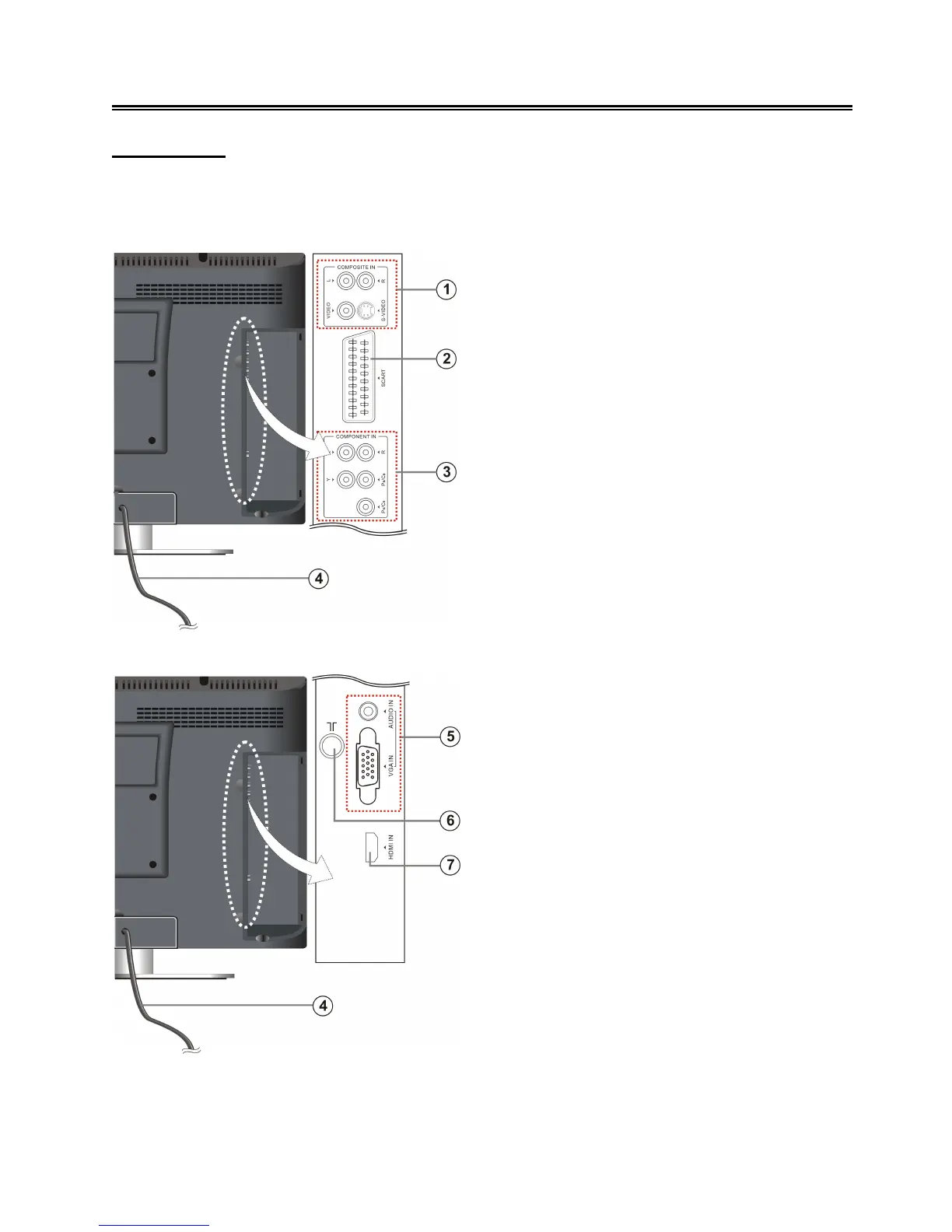
Open the back cover on the right side of the unit’s rear panel and all the connecting jacks will
appear, as shown on the below figure:
1. VIDEO/S-VIDEO and L/R audio Input
Jacks
To connect an audio and video/S-Video
signal source in Composite/S-Video mode.
Video and S-Video share L/R audio jacks
and S-Video has the priority.
2. SCART Jack
To connect a SCART signal source.
3. Y/Pr(Cr)/Pb(Cb) and L/R audio Input
Jacks
To connect a Y/Pr(Cr)/Pb(Cb) signal
source in YPbPr mode.
4. Power Supply Cord
To connect the power supply.
5. VGA Input Jack
To connect a VGA signal source in VGA
mode.
6. TV Signal Input Jack
To connect a TV antenna or analog cable in
TV mode.
7. HDMI Jack
To connect an HDMI signal source.



 To Next Page