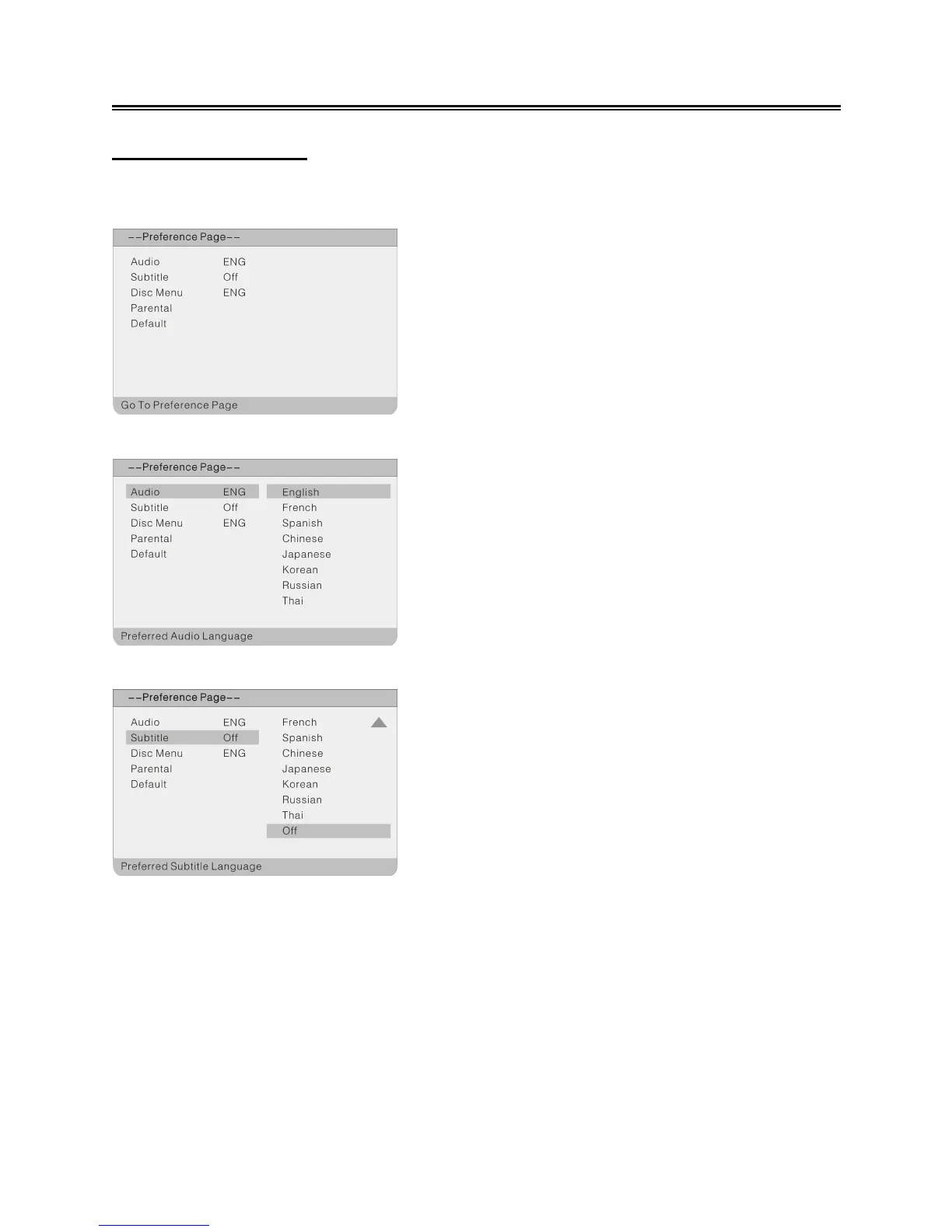
Preference Setup
Press the SETUP button to enter the General setup menu, then use the ◄► direction buttons to
select Preference Page, the screen will display as the below:
Audio
Subtitle
On the menu, Use the ▲▼ direction buttons to
select the desired item. Press the OK button to
enter the item. Press the ◄ button to return.
1. Press the ▲▼ direction buttons to select
Audio.
2. Press the OK button to enter the setup.
3. Press the ▲▼ direction buttons to select audio
language.
4. Press the OK button again to confirm the setting
and return.
1. Press the ▲▼ direction buttons to select
Subtitle.
2. Press the OK button to enter the setup.
3. Press the ▲▼ direction buttons to select
Subtitle language.
4. Press the OK button again to confirm the setting
and return.



 To Next Page