17
lencomarine.com
Sea Trial Commissioning
g. Manually retract the actuators to 0% using the ALL UP
button on the dial. No right hand LEDs lit.
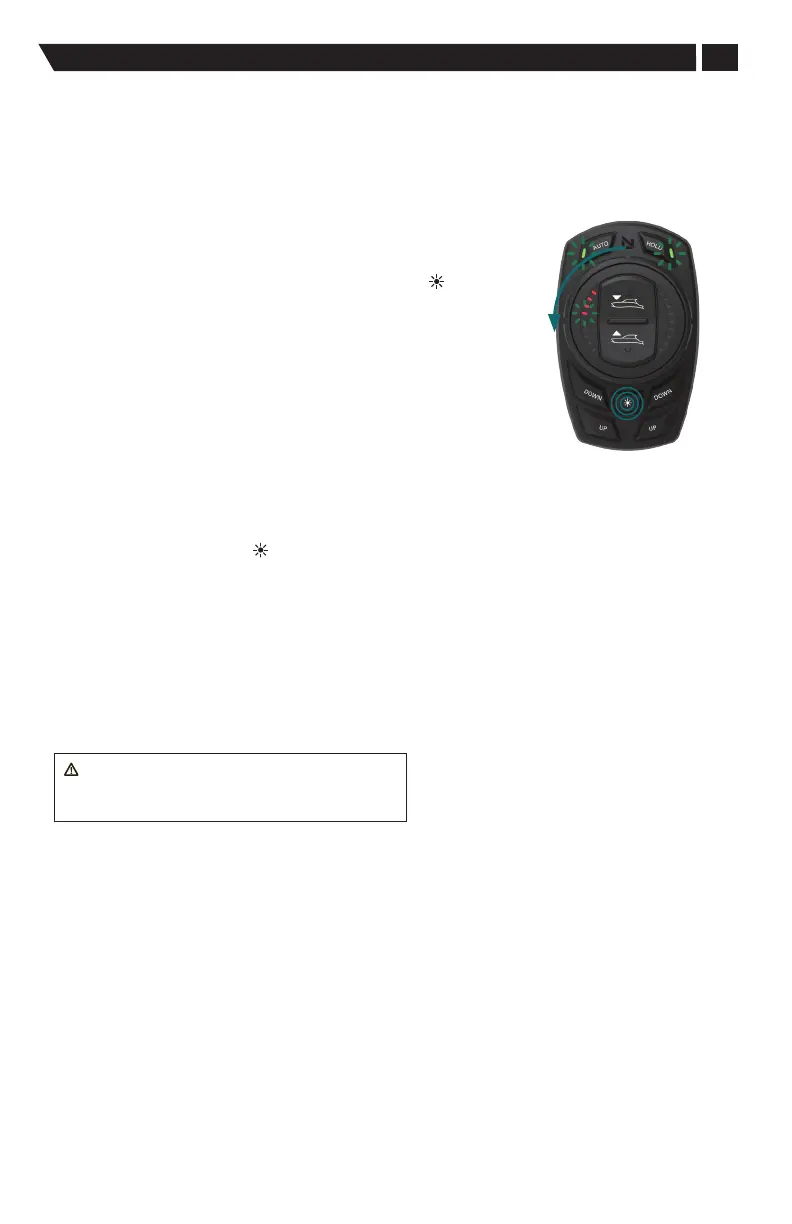
h. Rotate dial counterclockwise to next menu with four LEDs
lit on the left hand side of the dial.
4. High speed pitch control set up.
This step in the commissioning process captures the high speed
pitch angle of the vessel. The objective of this step is capture the
pitch angle at Wide Open Throttle (WOT) using the DIM ( ) button.
a. Bring the vessel back to idle speed to automatically fully
retract the tabs or use the All Up button on the dial face to
bring both tabs to 0%.
b. Increase vessel speed up to maximum WOT.
c. At WOT the vessel must run smoothly, without porpoising.
If the vessel is bobbing across the water use the engine trim
to smooth the ride.
d. If engine trim will not smooth the ride then deploy tabs a
minimal amount by pressing the ALL DOWN button on the
dial face until the porpoising is gone.
e. Maintain WOT speed for 3 to 5 seconds in a straight line if possible
(best practice).
f. Press and hold the DIM ( ) button for 1 second to store target. All LEDs,
left and right, will flash three times. This indicates that the high speed
pitch control target has been stored.
g. Slow vessel down to idle.
5. Exit Commissioning process
a. Simultaneously hold the AUTO and HOLD button for 3 seconds.
The keypad controls are now in the manual mode. In order to enter
Auto Mode press the AUTO button.
WARNING: To save programmed settings,
the system must be shut down with the vessel's
ignition switch prior to powering batteries o.
High Speed Pitch
Control Setup
Options for other outcomes:
1. Change Delta drop detection to a high degree value, (menu 5 in calibration).
a. Changing the LEDs in menu 5 of (Calibration Menu) will increase the amount
the vessel bow has to fall in order to be declared on plane. The outcome
will be more TAB used at lower speeds for better BOW control with each
increase of LED.
Caution: Over application of tabs is possible which results in poor vessel
handling and bow steering.


 To Next Page