18
lencomarine.com
Auto Keypad Operation
Auto Keypad Operation
Enabling AUTO mode:
After completing the Calibration and Commissioning for your boat the
AUTO trim tab control mode may be safely used.
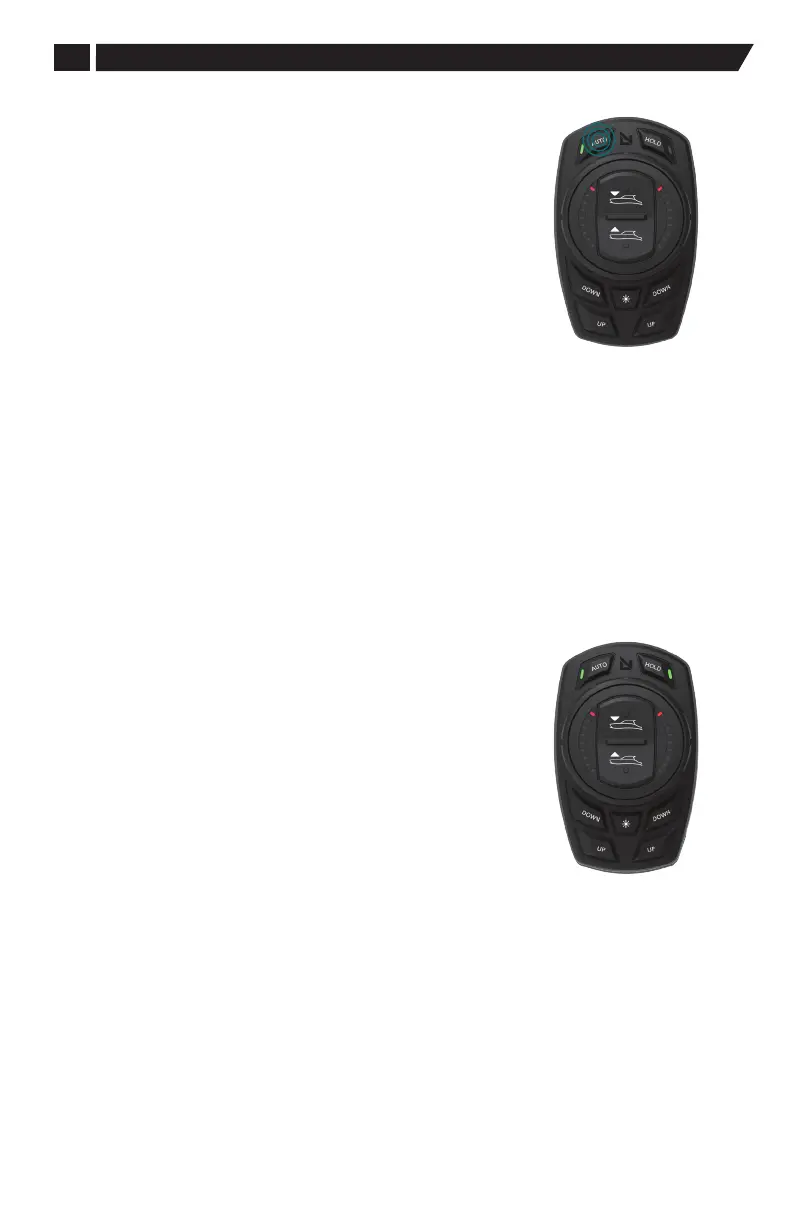
1. Press and release the AUTO button. The green LED will illuminate
on the AUTO button.
(AUTO remains active if the dial is used or the All Up or Down button
on the dial face is used).
2. Rotating the dial changes the boat’s roll target and enables HOLD
mode. The AUTO LED and the HOLD LED will be lit.
3. Adjusting the boat’s target pitch using the All Up or Down button on
the dial enables HOLD mode. The AUTO LED and the HOLD LED
will be lit.
Note: Throttle changes to increase or decrease speed will not
change AUTO or HOLD tab settings.
4. Pressing the AUTO button again disables the auto and hold modes.
Note: Pressing, any of the four lower buttons also disables the auto
mode: port DOWN or UP; or starboard DOWN or UP. This places the
system in manual mode.
When Auto is O:
When AUTO is OFF, pressing the HOLD button temporarily maintains
the boat’s position. The AUTO and HOLD LED's will be illuminated.
Throttle changes to increase or decrease speed will not change the
manually set HOLD boat position.
The pitch and roll target settings in HOLD mode are temporary, and will
be lost when disabling HOLD, applying independent control using any
of the four lower buttons, or turning the vessel key switch o.
When AUTO is not active, any manual adjustments made using the
dial, All Up or Down buttons, or four lower buttons the actuators will
maintain their set position regardless of the boat’s position.
Keypad LED Display
for HOLD
Enabling Auto
Mode (First Time)


 To Next Page