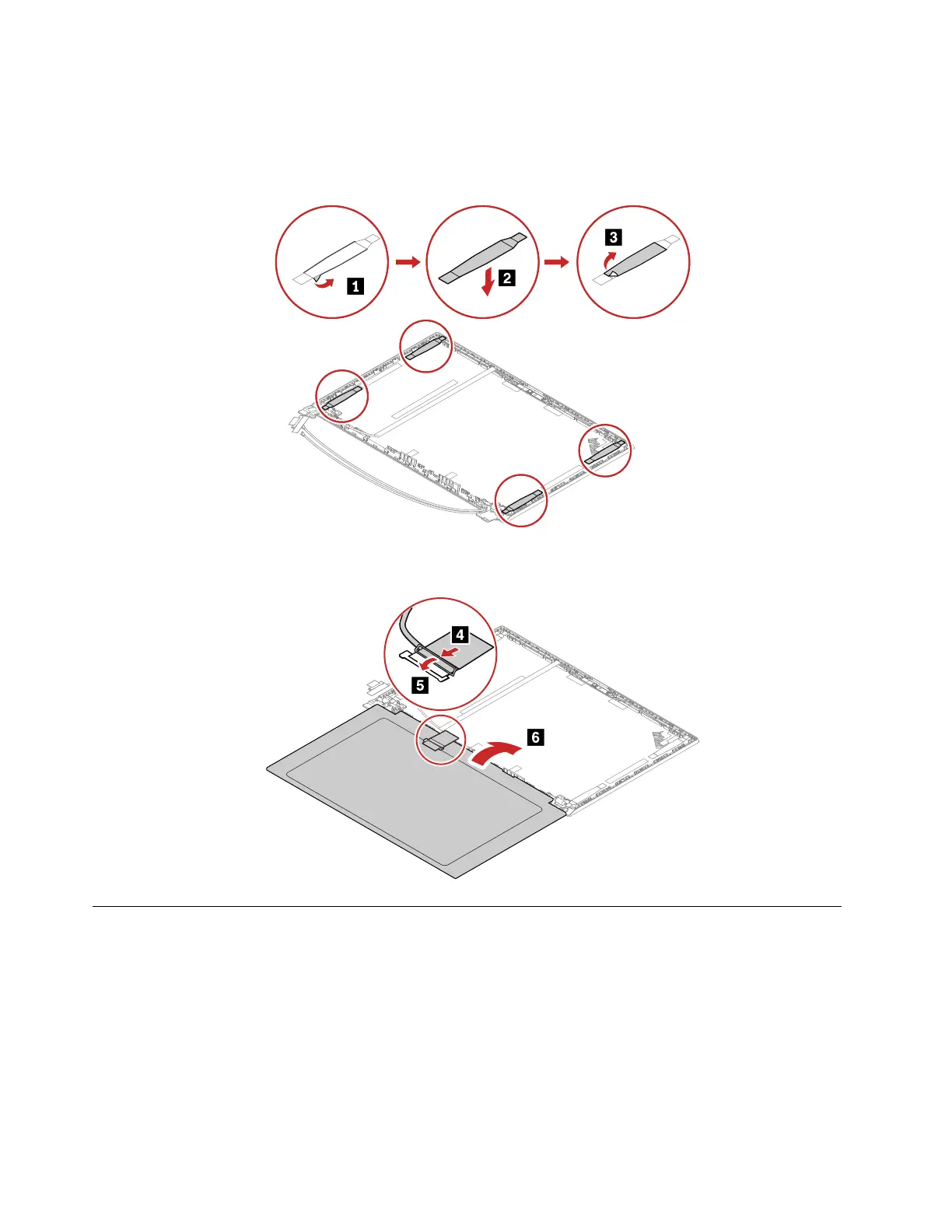
Installation steps of the LCD panel
1. Peel off the release liners from one side of the new elastic adhesive tapes. Apply the tapes to the correct
locations. Peel off the release liners from the other side of the tapes. Ensure that four tapes are applied
correctly as shown.
2. Attach the LCD cable to the LCD panel as shown. Turn over the LCD panel to secure the LCD panel with
tapes.
2030 Hinge cap (for ThinkPad E14/R14/S3 Gen 2 only)
For access, remove these FRUs in order:
• “1140 LCD unit” on page 85
• “2010 LCD bezel assembly” on page 91
96
E14/R14/E15/S3 Gen 2 Hardware Maintenance Manual















 To Next Page