ThinkPad E15
Removal steps of the LCD panel
For access, remove this FRU in order:
• “1140 LCD unit” on page 85
• “2010 LCD bezel assembly” on page 91
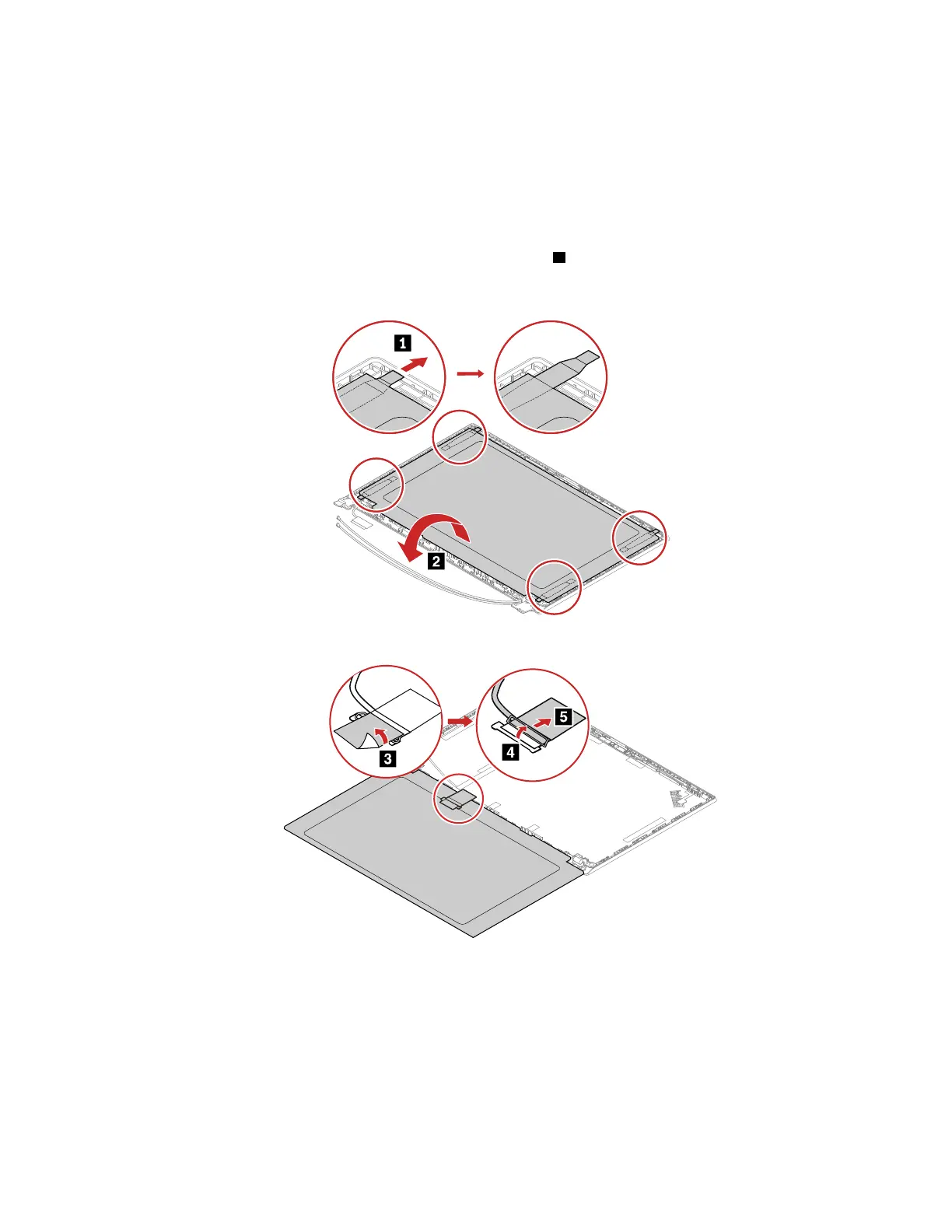
1. Grasp the ends of four elastic adhesive tapes with tweezers. Pull out each tape slowly in the direction as
shown until four elastic tapes are all released from LCD unit
1 . Then, Turn over the LCD panel.
Note: Do not pull the tapes too fast, otherwise, the tapes might snap.
2. Detach the LCD cable from the LCD panel as shown.
Chapter 8. Removing or replacing a FRU 95















 To Next Page