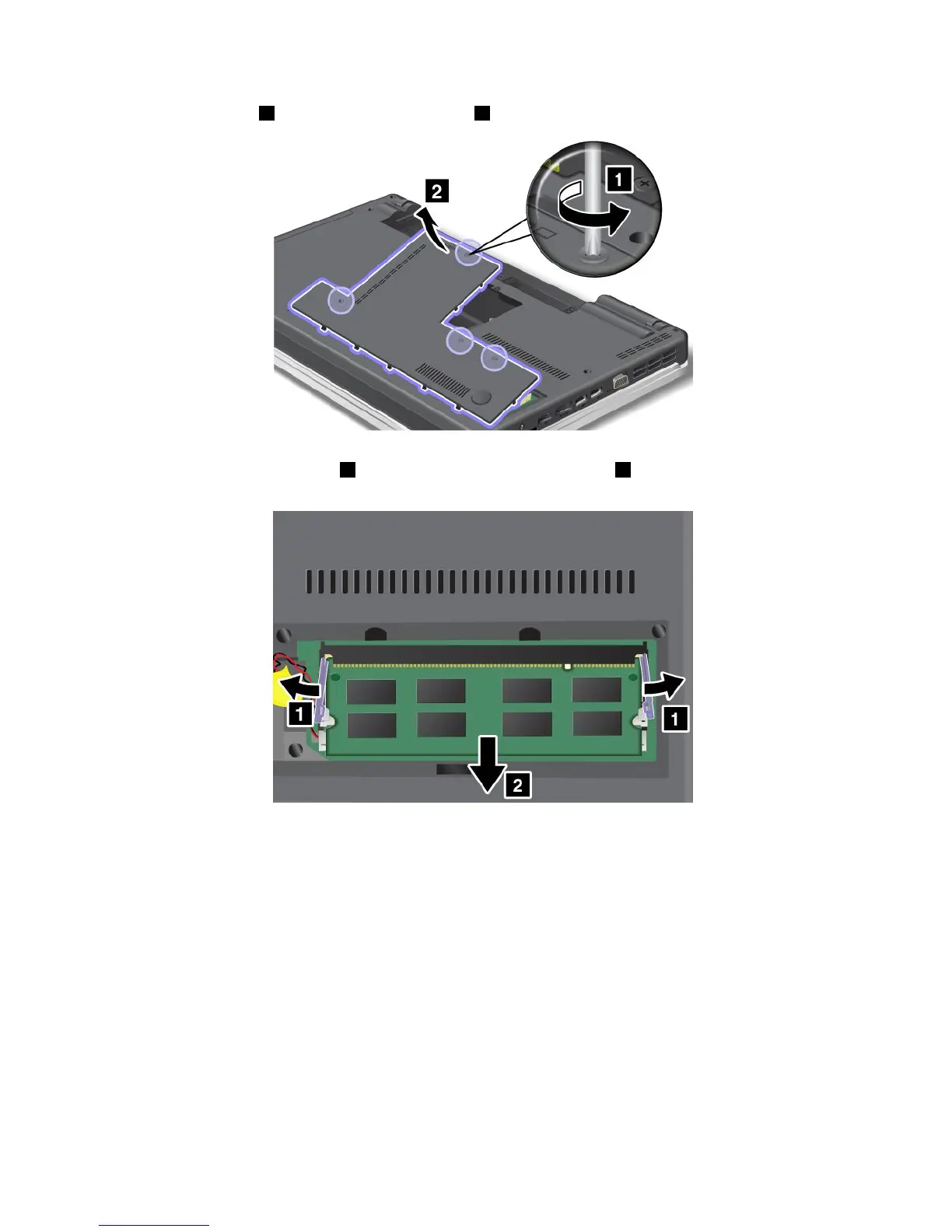
4.Loosenthescrews1,andthenremovethecover2.
5.Ifthetwomemorymodulesarealreadyinthememoryslots,pressoutonthelatchesonbothedges
ofthesocketatthesametime1,andthenremoveamemorymodule2tomakeroomforthenew
one.Besuretosaveitforfutureuse.
6.Findthenotchonthecontactedgesideofthememorymoduleyouareinstalling.
Attention:Toavoiddamagingthememorymodule,donottouchitscontactedge.
82UserGuide














 To Next Page