Duetothefactthatintegratedwirelesscardsoperatewithintheguidelinesfoundinradiofrequencysafety
standardsandrecommendations,Lenovobelievestheyaresafeforusebyconsumers.Thesestandardsand
recommendationsreecttheconsensusofthescienticcommunityandresultfromdeliberationsofpanels
andcommitteesofscientistswhocontinuallyreviewandinterprettheextensiveresearchliterature.
Insomesituationorenvironment,theuseofintegratedwirelesscardsmayberestrictedbytheproprietor
ofthebuildingorresponsiblerepresentativesoftheorganization.Thesesituationsandareasmayfor
exampleinclude:
•Usingtheintegratedwirelesscardsonboardofairplanes,inhospitalsornearpetrolstations,blasting
areas(withelectro-explosivedevices),medicalimplantsorbody-wornelectronicmedicaldevices,such
aspacemakers.
•Inanyotherenvironmentwheretheriskofinterferencetootherdevicesorservicesisperceivedor
identiedasharmful.
Ifyouareuncertainofthepolicythatappliesontheuseofwirelessdevicesinaspecicorganization
(suchasanairportorahospital),youareencouragedtoaskforauthorizationtouseintegratedwireless
cardspriortoturningonthecomputer.
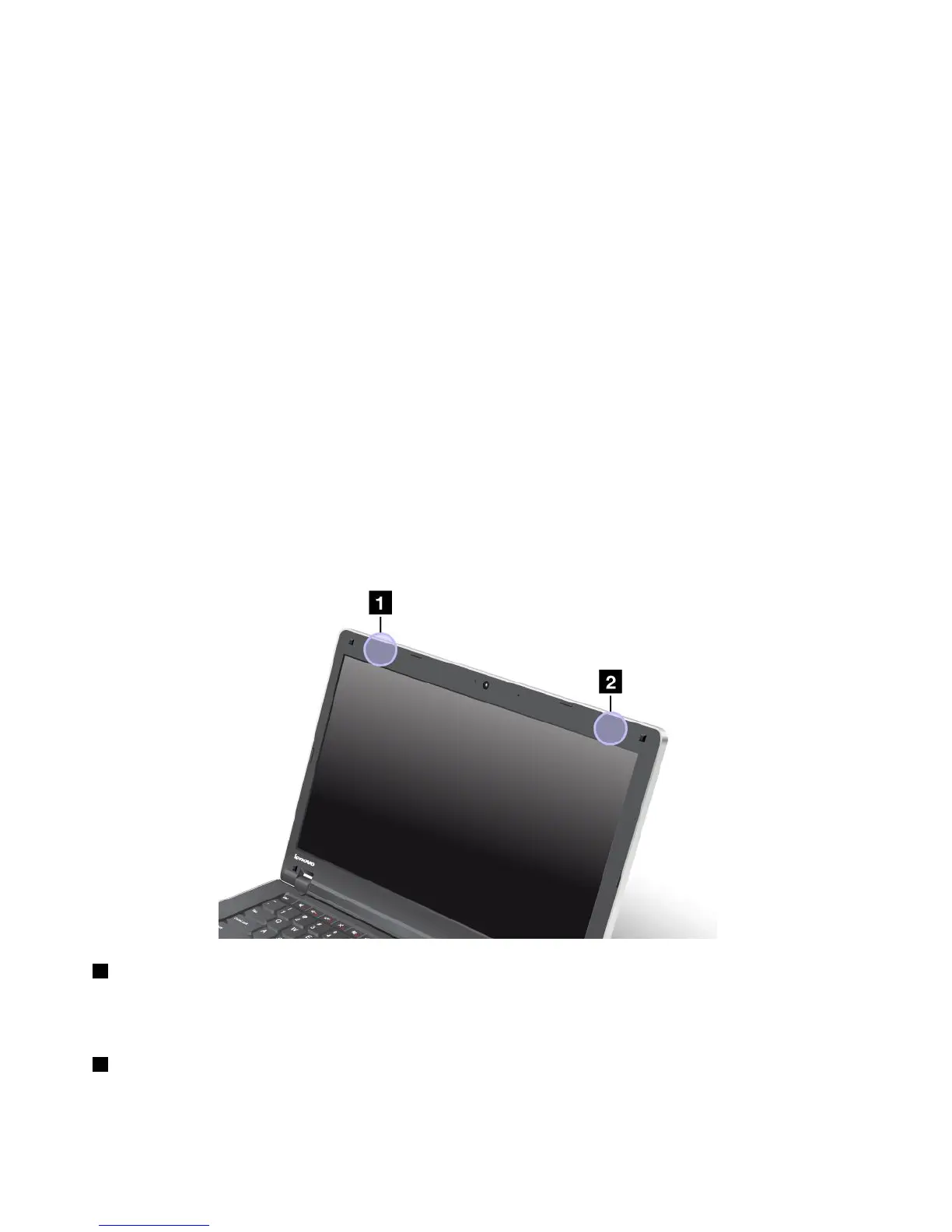
LocationoftheUltraConnectwirelessantennas
ThinkPadnotebookcomputersfeatureanintegrateddiversityantennasystembuiltintothedisplayfor
optimalreception,enablingwirelesscommunicationwhereveryouare.
Antennalocation
1WirelessLANantenna(auxiliary)
TheauxiliaryantennaconnectedtothewirelessLANfeatureislocatedatthetopleftcornerofthecomputer
display.
2WirelessLANantenna(main)
ThemainantennaconnectedtothewirelessLANfeatureislocatedatthetoprightcornerofthecomputer
display.
138UserGuide














 To Next Page