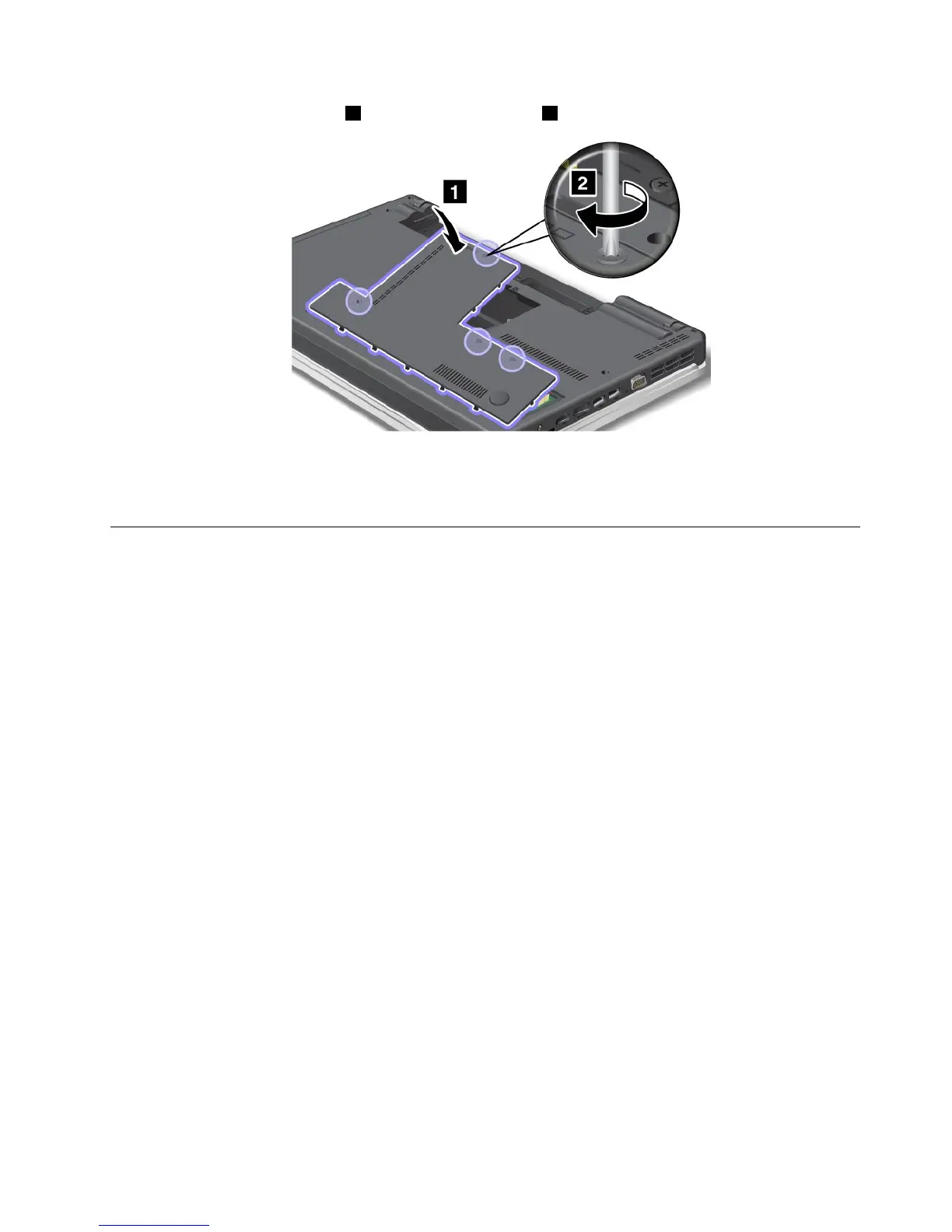
9.Reinstallthecomputercover1.Thentightenthescrews2.
10.Reinstallthebattery.Formoreinformationabouthowtoreinstallthebattery,referto“Replacingthe
battery”onpage69
.
11.Turnthecomputeroveragain.Connecttheacpoweradapterandcablestothecomputer;thenturniton.
Replacingamemorymodule
Beforeyoustart,printtheseinstructions.
Increasingmemorycapacityisaneffectivewaytomakeprogramsrunfaster.Toreplaceoraddmemory
module,readthefollowingprerequisites,andthentheinstruction.
Prerequisitesfortheprocedure
Whenreplacingamemorymodule,besuretofollowtheprecautions.
Note:Theoperatingspeedofthememorymoduledependsonthesystemcongurationofyourcomputer
anditscombinationwiththememorymoduleinstalledonyourcomputer.Insomeconditions,thememory
moduleinyourcomputermightnotbeabletooperateatthemaximumspeed.
Attention:Beforeyoustartinstallingamemorymodule,touchametaltableoragroundedmetalobject.This
actionreducesanystaticelectricityfromyourbody.Thestaticelectricitycoulddamagethememorymodule.
Replacingamemorymodule
Toreplacingamemorymodule,dothefollowing:
1.Turnoffthecomputer;thendisconnecttheacpoweradapterandallcablesfromthecomputer.
2.Closethecomputerdisplay,andturnitover.
3.Removethebattery.Forinformationabouthowtoremovethebattery,,referto“Replacingthebattery”
onpage69.
Chapter6.Replacingdevices81














 To Next Page