Bydefault,evenifyourcomputerisinsleepmode,theAlwaysOnUSBconnectorstillenablesyouto
chargesomedevices,suchasiPod
®
,iPhone
®
,andBlackBerry
®
smartphones,byattachingthedevices
totheconnector.
However,withtheacpoweradapterattached,ifyouwanttochargethesedeviceswhenyourcomputer
isinhibernationmodeorpoweredoff,youwillneedtoopenthePowerManagerprogramandcongure
correspondingsettingstoenabletheAlwaysOnUSBconnector.FordetailsabouthowtoenabletheAlways
OnUSBconnector,refertotheon-linehelpofthePowerManagerprogram.
Note:YourcomputeriscompatiblewithUSB1.1and2.0.
2Opticaldrive
Yourcomputerhasaslotforanopticaldrive.
3Powerjack
Theacpoweradaptercableconnectstothecomputerpowerjacktoprovidepowertothecomputerand
chargethebattery.
Anindicatortotheleftoftheconnectorshowsthestatusofacpower.Whentheacpoweradapteris
connected,theindicatorislit.Ifabatteryisinstalledinthecomputer,theindicatorisgreenwhenthe
batterycharges.
4Securitykeyhole
Yourcomputercomeswithasecuritykeyhole.Youcanpurchaseasecuritycablelocktotthiskeyhole.
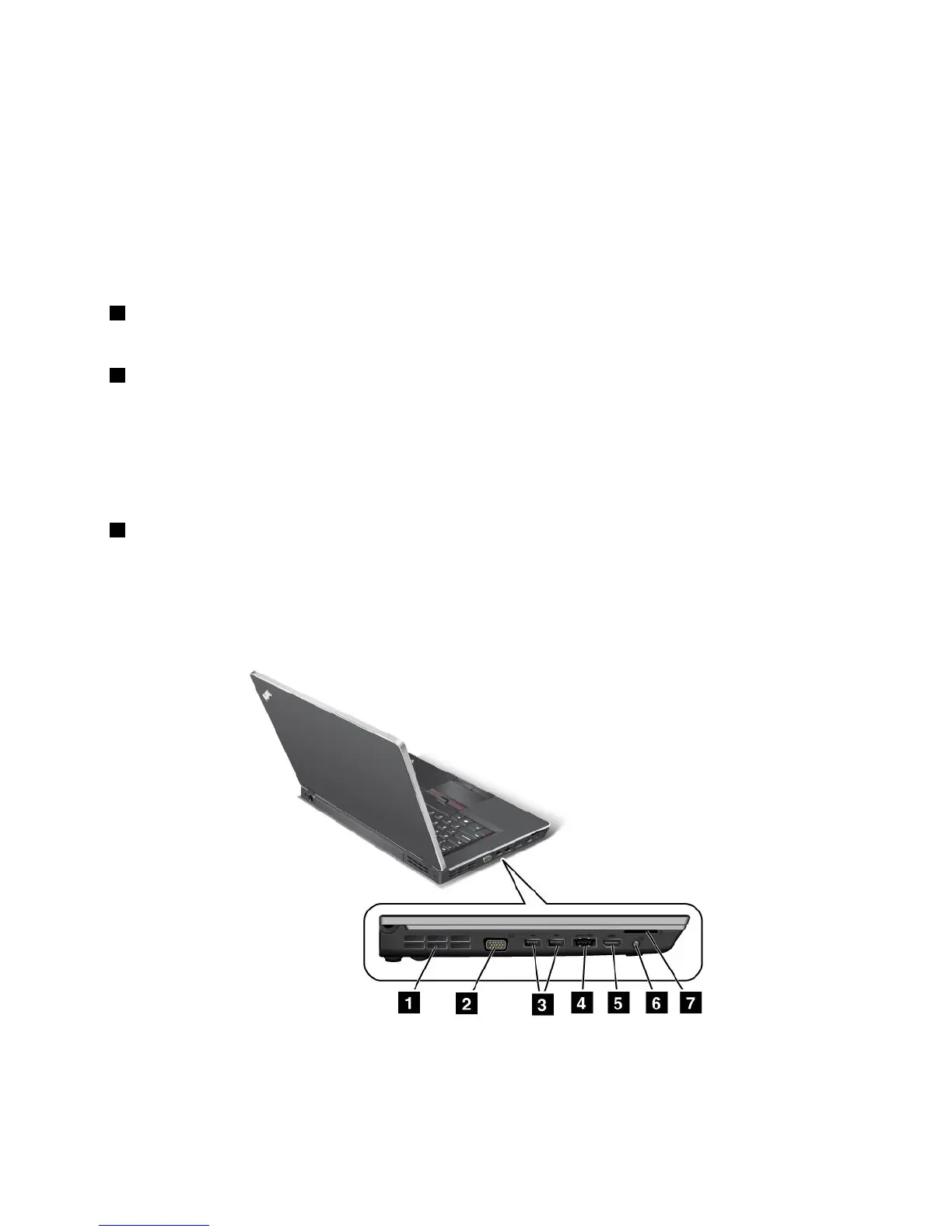
Left-sideview
Figure4.ThinkPadEdgeE425andE525left-sideview
Note:Yourcomputerkeyboardmightlookdifferentfromtheillustrationabove.
Chapter1.ProductOverview7














 To Next Page