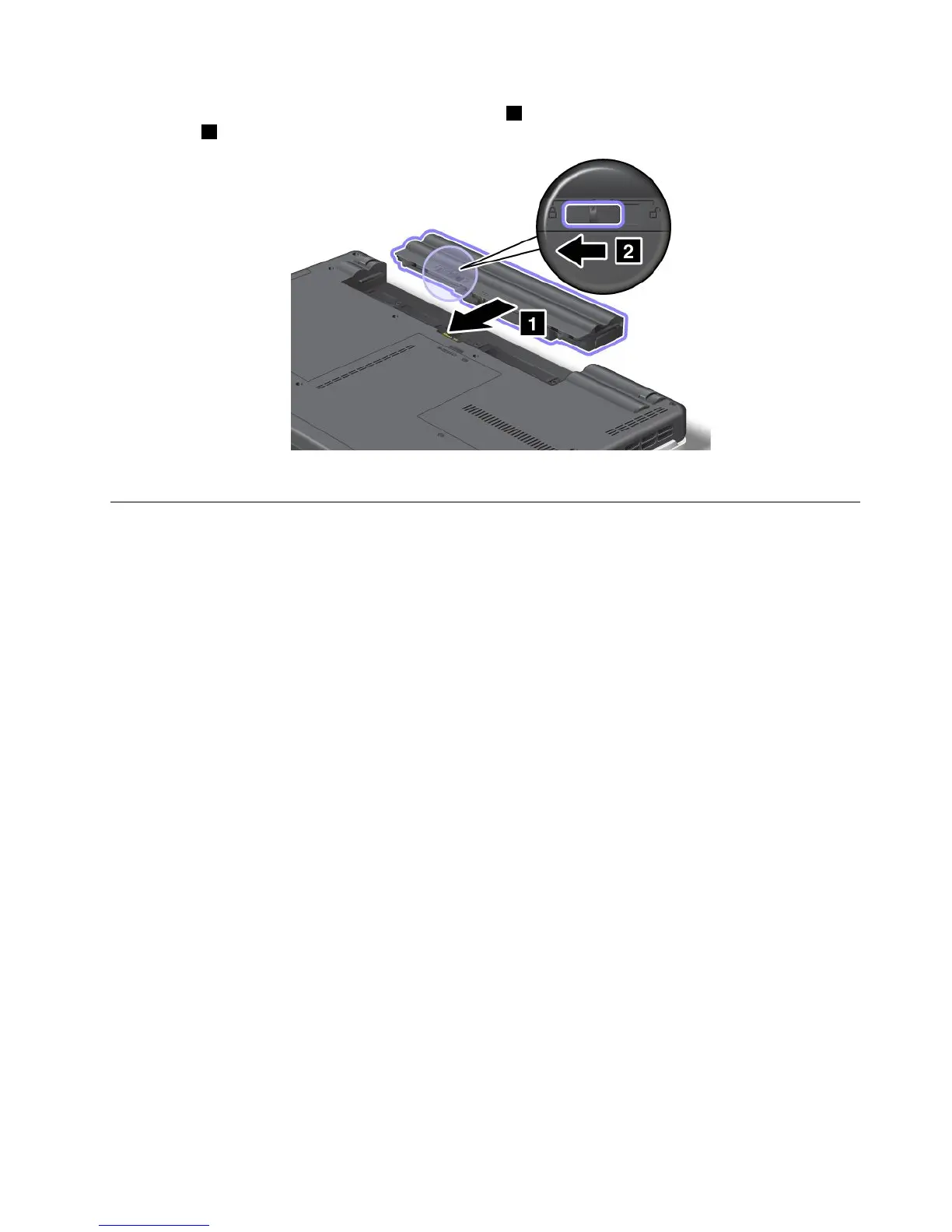
4.Insertafullychargedbatteryuntilitclicksintoplace1,andthenslidethebatterylatchtothelocked
position2.
5.Turnthecomputeroveragain.Connecttheacpoweradapterandthecablestothecomputer.
Replacingtheharddiskdrive
Beforeyoustart,printtheseinstructions.
YoucanreplacetheharddiskdrivewithanewonethatcanbepurchasedfromyourLenovoresellerora
marketingrepresentative.Toreplacetheharddiskdrive,readthefollowingprerequisites.
Note:Replacetheharddiskdriveonlyifyouupgradeitorhaveitrepaired.Theconnectorsandslotofthe
harddiskdrivewerenotdesignedforfrequentchangesordriveswapping.
Prerequisitesfortheprocedure
Whenreplacingthedrive,besuretofollowtheprecautions.
Attention:Whenyouarehandlingaharddiskdrive:
•Donotdropthedriveorsubjectittophysicalshocks.Putthedriveonamaterial,suchassoftcloth,that
absorbsanyphysicalshocks.
•Donotapplypressuretothecoverofthedrive.
•Donottouchtheconnector.
Thedriveisverysensitive.Incorrecthandlingcancausedamageandpermanentlossofdata.
Beforeremovingtheharddiskdrive,makeabackupcopyofalltheinformationonit,andthenturnthe
computeroff.
Neverremovethedrivewhilethesystemisoperating,insleepmode,orinhibernationmode.
Replacementinstructions
Toreplacetheharddiskdrive,dothefollowing:
1.Turnoffthecomputer;thendisconnecttheacpoweradapterandallcablesfromthecomputer.
2.Closethecomputerdisplay,andturnthecomputerover.
Chapter6.Replacingdevices71














 To Next Page