Chapter7.Locations
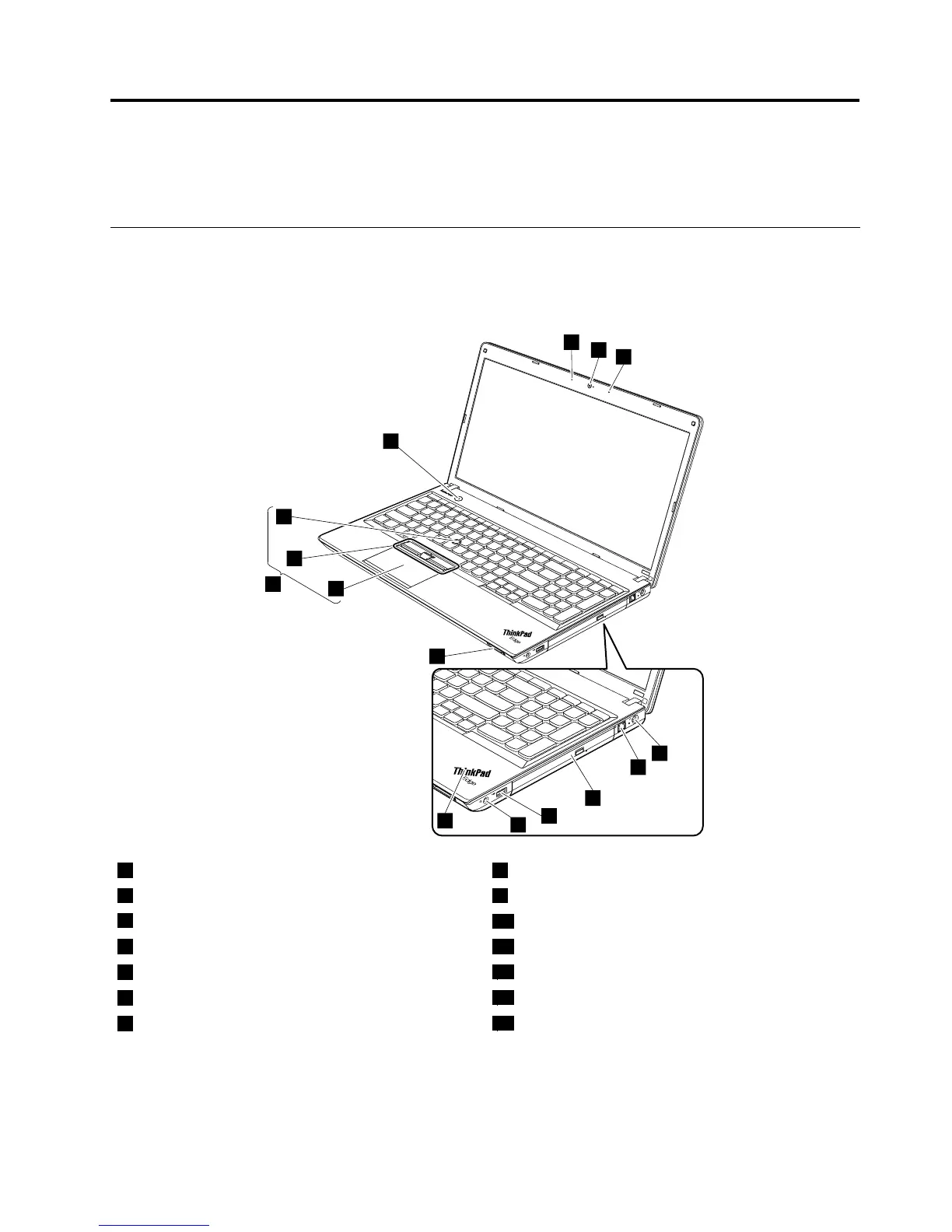
ThischapterintroducesthelocationsofthehardwarecomponentsonThinkPadEdgeE545models.
Locatingcomputercontrols,connectors,andindicators
Thistopicintroducesthelocationsofthecomputercontrols,connectors,andindicators.
Frontview
1Camera8Systemstatusindicator
1
2Microphones9Mediacardreaderslot
3acpowerconnector
10Touchpad
4Ethernetconnector11TrackPoint
®
buttons
5Opticaldriveorblankbezel
12TrackPointpointingstick
6AlwaysOnUSBconnector
13UltraNav
®
pointingdevice
7Comboaudiojack
14Powerbutton
1
:Forthedescriptionofthesystemstatusindicator,seeChapter5“Statusindicators”onpage45
.
©CopyrightLenovo2013
49














 To Next Page