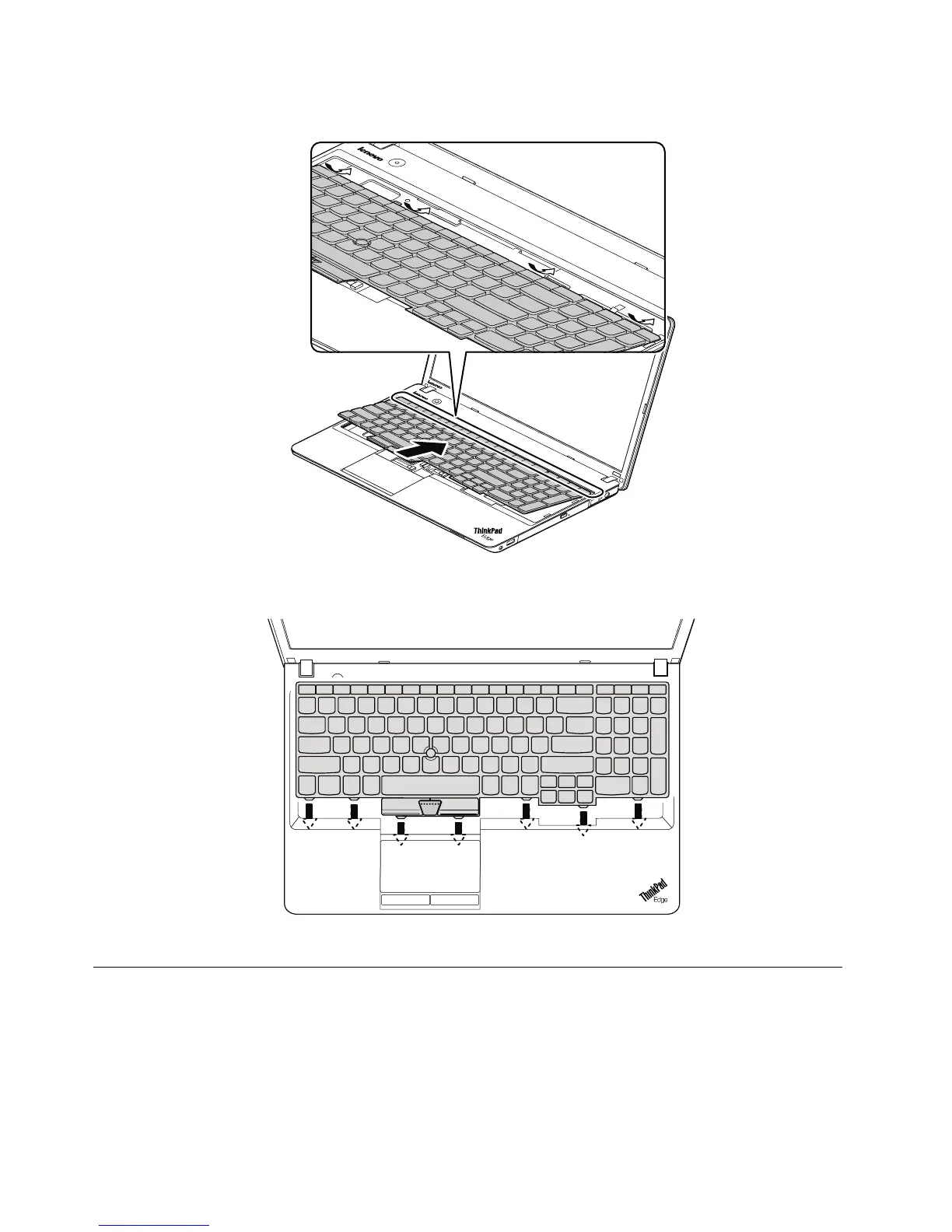
2.Attachthekeyboardandensurethatthekeyboardedgesareundertheframe.
3.Tomakesurethatthefrontsideofthekeyboardishousedrmly,gentlypressthekeyswithyourthumbs
andslidethekeyboardtowardyouuntilthekeyboardisinplace.
4.Securethekeyboardbytighteningthescrewsfromthebottomsideofthecomputer.
1120Keyboardbezel
Foraccess,removetheseFRUsinorder:
•“1010Batterypack”onpage62
•“1020Largebottomcover”onpage62
•“1040Opticaldriveorblankbezel”onpage64
•“1110Keyboard”onpage73
76HardwareMaintenanceManual














 To Next Page