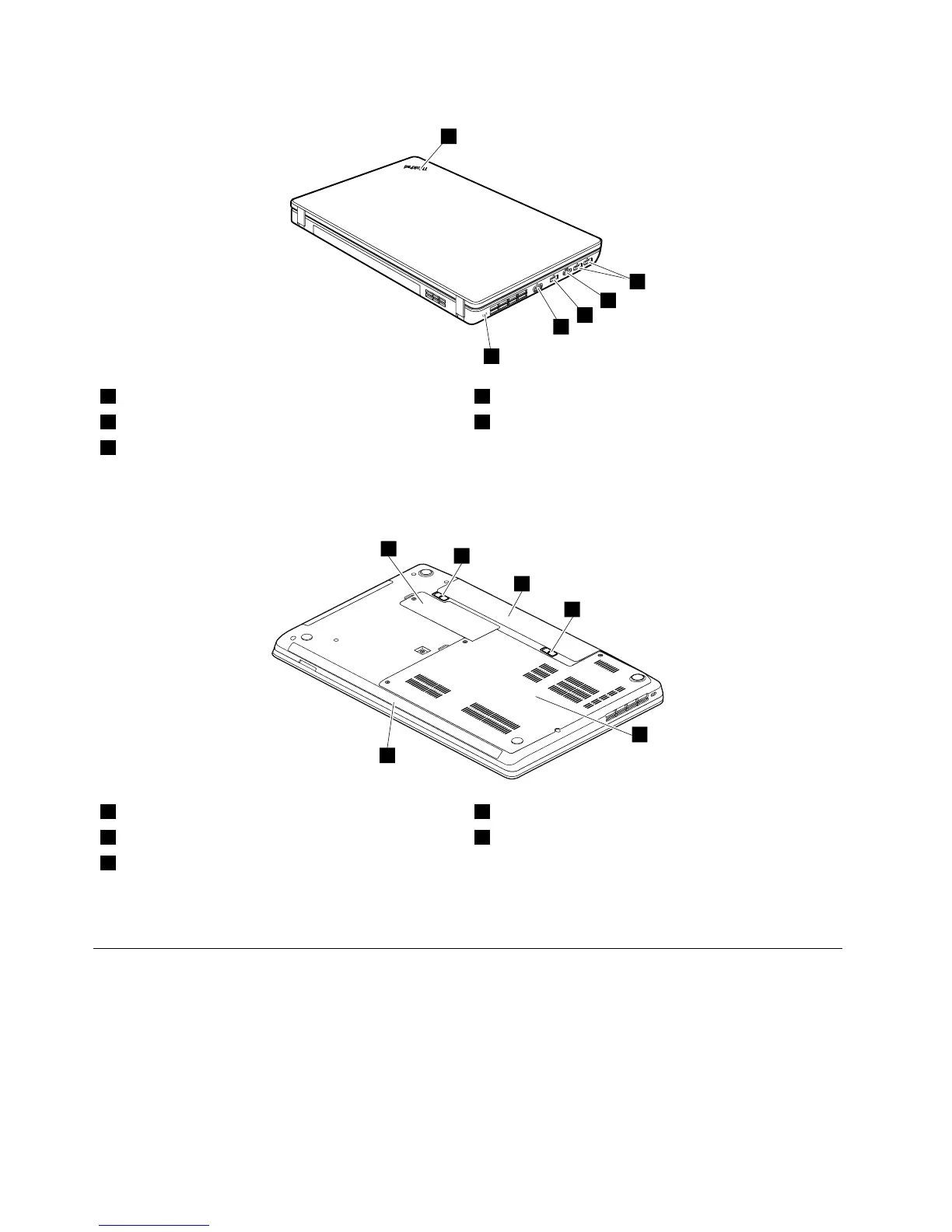
1Systemstatusindicator
1
4VGAconnector
2USBconnectors5Security-lockslot
3HDMIport
1
:Forthedescriptionofthesystemstatusindicator,seeChapter5“Statusindicators”onpage45.
Bottomview
1Smallbottomcover
1
4Largebottomcover
2
2Batterypacklatches
5Speakers
3Batterypack
1
:ThewirelessLANcardandthebackupbatteryarelocatedunderneaththesmallbottomcover.
2
:Thememorymodulesandharddiskdrivearelocatedunderneaththebottomslotcover.
LocatingFRUsandCRUs
Thistopicintroducesthefollowingserviceparts:
•“MajorFRUsandCRUs”onpage52
•“LCDFRUsandCRUs”onpage54
50HardwareMaintenanceManual














 To Next Page