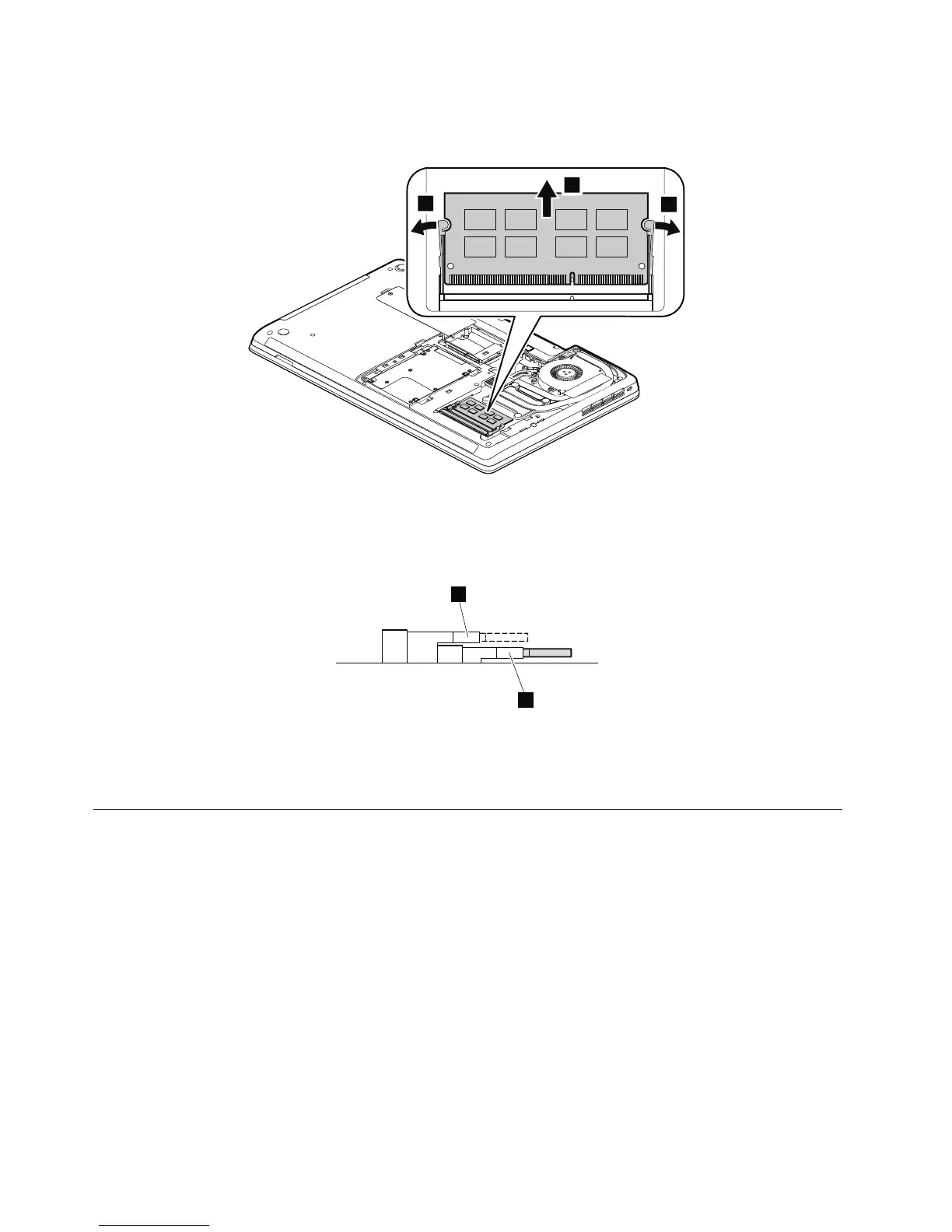
Wheninstalling:
Note:Ifonlyonememorymoduleistobeinstalledintothecomputeryouareservicing,thememorymodule
mustbeinstalledinthelowermemoryslota(SLOT-0),nottheuppermemoryslotb(SLOT-1).
Insertthenotchedendofthememorymoduleintotheslotatanangleofabout20degrees.Pressthe
memorymodulermly,andpivotitdownwardsuntilitsnapsintoplace.Makesurethatthememorymodule
isrmlyinstalledintheslotanddoesnotmoveeasily.
1060Harddiskdriveassembly
Foraccess,removetheseFRUsinorder:
•“1010Batterypack”onpage62
•“1020Largebottomcover”onpage62
Attention:
•Donotdropthedriveorapplyanyphysicalshocktoit.Thedriveissensitivetophysicalshock.Improper
handlingcancausedamageandpermanentlossofdata.
•Beforeremovingthedrive,havetheusermakeabackupcopyofalltheinformationonitifpossible.
•Neverremovethedrivewhilethecomputerisoperatingorinsuspendmode.
66HardwareMaintenanceManual














 To Next Page