Note: If the service is not available as shown above, refer to https://support.lenovo.com/sg/en/solutions/
ht514076
to resolve.
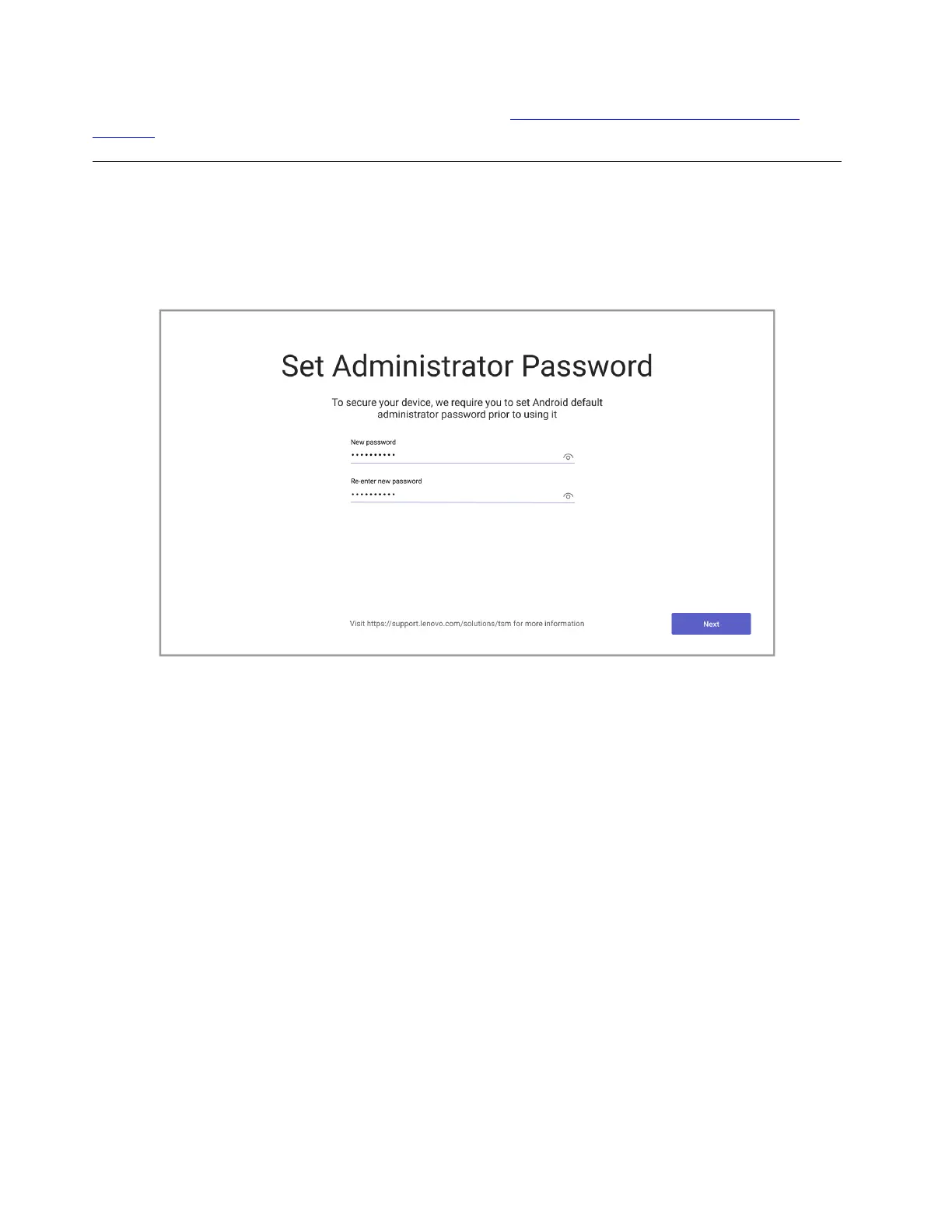
Set administrator password
After completing the Android settings, you will see a window asking you to set an administrator password
before using the device.
Follow the on-screen instructions to set an administrator password to keep your device secure before you
use it.
22 ThinkSmart View Plus Deployment Guide








 To Next Page