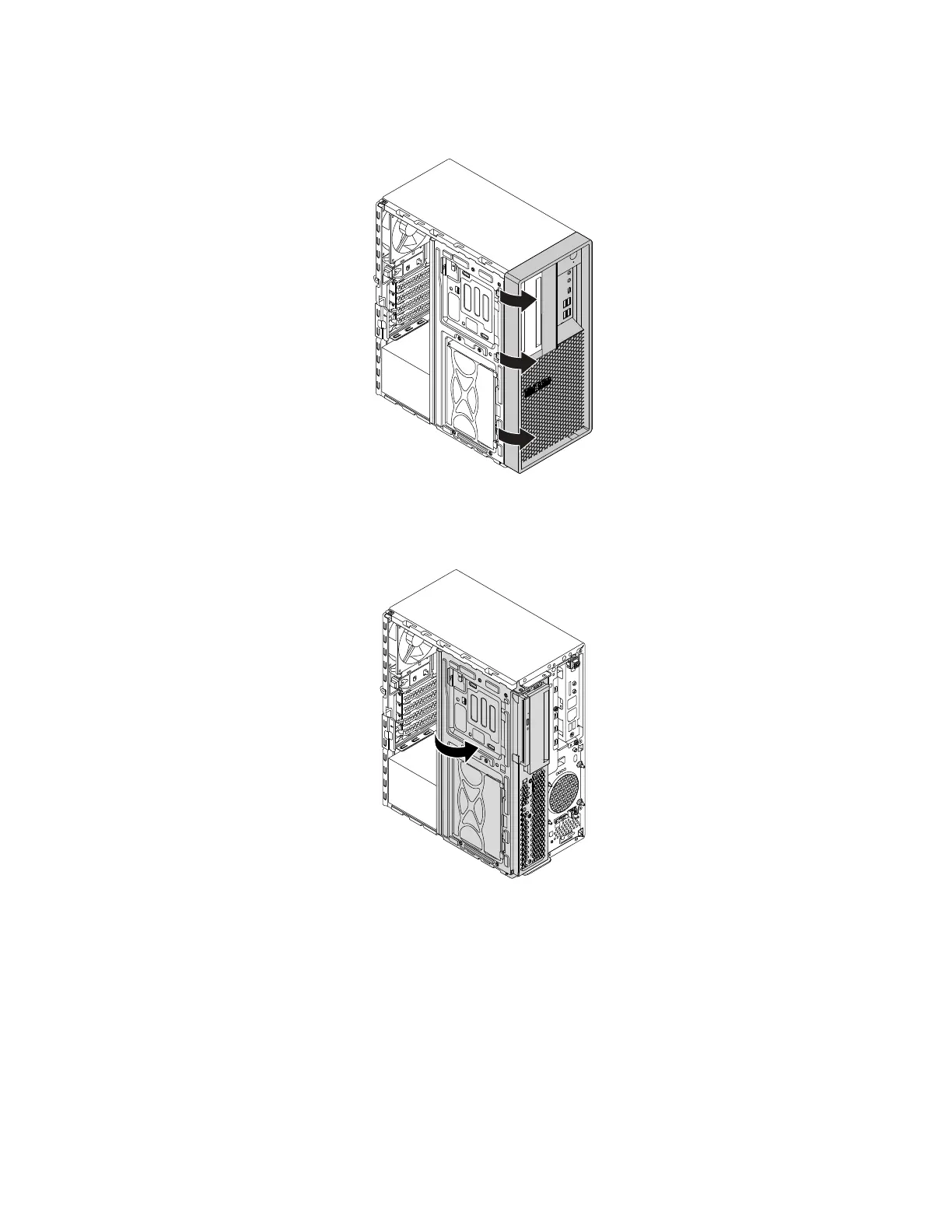
5. Release the three plastic tabs of the front bezel as shown and pivot the front bezel outward to remove it
from the computer.
Figure 15. Removing the front bezel
6. Pivot the drive bay assembly outward.
Figure 16. Pivoting the drive bay assembly outward
Notes:
• Depending on your computer model, some of the hardware parts in the removal and installation section
might not be available.
• Use computer parts provided only by Lenovo.
• When removing or installing an option, use the appropriate instructions in this section along with the
instructions that come with the option.
• In most areas of the world, Lenovo requires the return of the defective CRU. Information about this will
come with the CRU or will come a few days after the CRU arrives.
100
P330 Hardware Maintenance Manual














 To Next Page