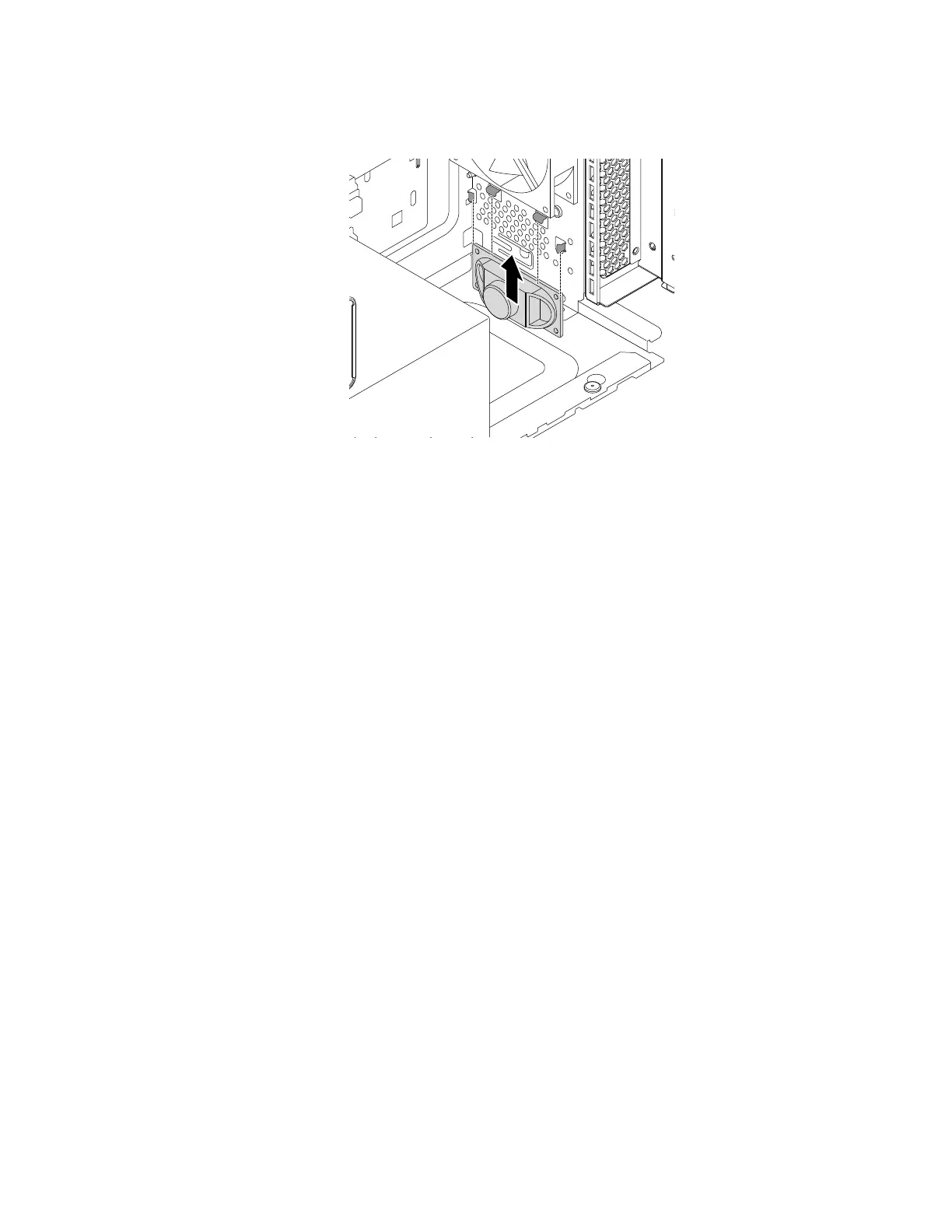
a. Position the new internal speaker toward the four metal clips and slide the internal speaker upward
until it is secured in place.
Figure 130. Installing the internal speaker
b. Connect the internal-speaker cable to the internal-speaker connector on the system board. See
“Parts on the system board” on page 38.
What to do next:
• To work with another piece of hardware, go to the appropriate section.
• To complete the installation or replacement, go to “Completing the parts replacement” on page 187.
Wi-Fi units
Attention: Do not open your computer or attempt any repair before reading and understanding the Chapter
1 “Read this first: Important safety information” on page 1.
The Wi-Fi units include a Wi-Fi card module, a front Wi-Fi antenna, and a rear Wi-Fi antenna.
Note: Depending on the model, the Wi-Fi units might look slightly different from the illustrations.
Wi-Fi card module
To remove or install the Wi-Fi card module, do the following:
1. Prepare your computer. See “Preparing your computer” on page 98.
2. Lay the computer on its side for easier access to the system board.
3. Locate the Wi-Fi card module. See “FRUs and CRUs” on page 35.
4. To remove the Wi-Fi card module, do the following:
Chapter 9. Hardware removal and installation 163














 To Next Page