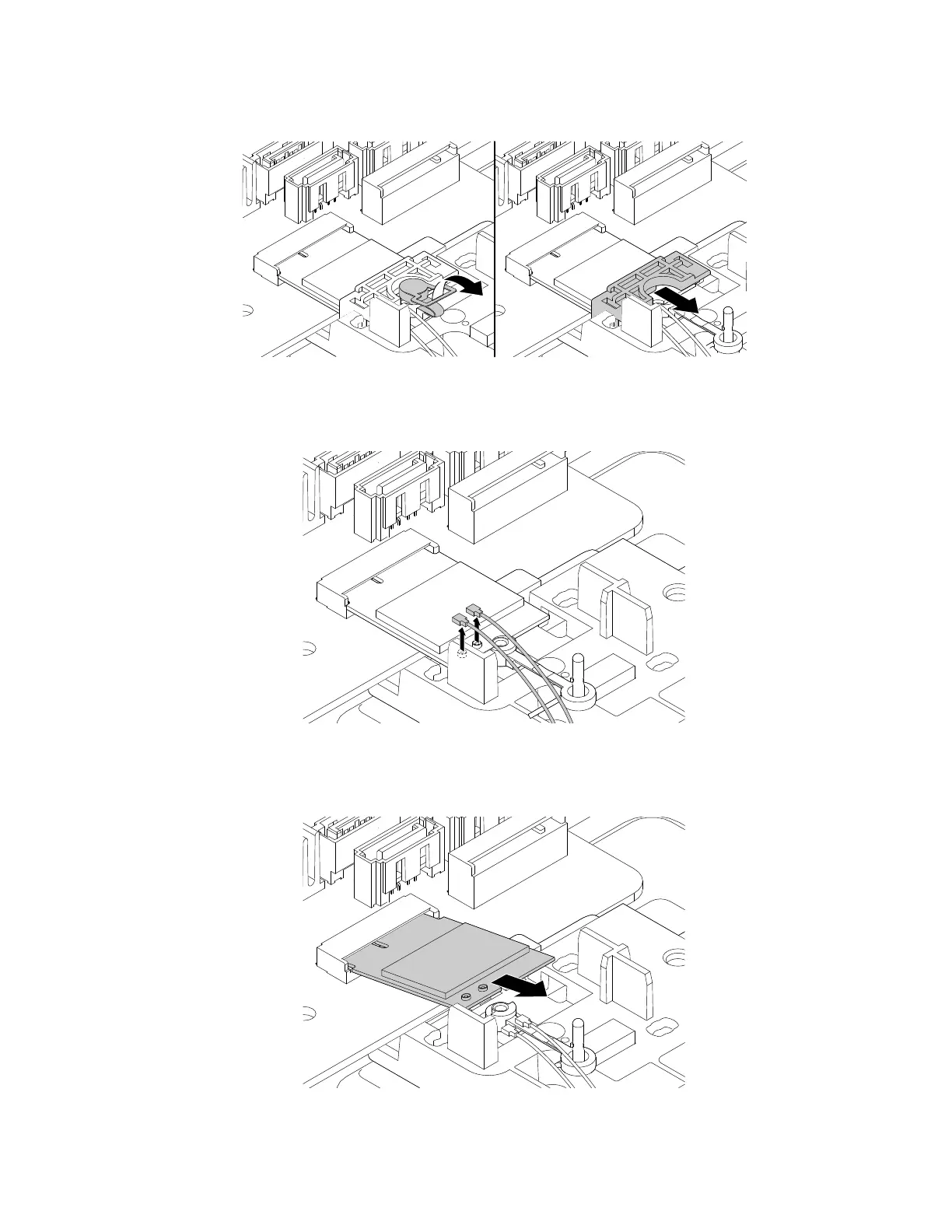
a. Pull the handle of the retention latch outward to the open position and remove the shield as shown.
Figure 131. Pulling handle of the retention latch outward and removing the shield
b. Disconnect the front and rear Wi-Fi antenna cables from the Wi-Fi card module.
Figure 132. Disconnecting the front and rear Wi-Fi antenna cables from the Wi-Fi card module
c. Pull the Wi-Fi card module out of the Wi-Fi card slot.
Figure 133. Pulling the Wi-Fi card module out of the Wi-Fi card slot
164 P330 Hardware Maintenance Manual














 To Next Page