• To complete the installation or replacement, go to “Completing the parts replacement” on page 187.
Type-1 storage-drive cage
Attention: Do not open your computer or attempt any repair before reading and understanding the Chapter
1 “Read this first: Important safety information” on page 1.
Some computer models come with a type-1 storage-drive cage for installing or replacing a 3.5-inch storage
drive or a 2.5-inch storage drive.
3.5-inch storage drive
To remove or install a 3.5-inch storage drive in the type-1 storage-drive cage, do the following:
1. Prepare your computer. See “Preparing your computer” on page 98.
2. Locate the type-1 storage-drive cage. See “Computer components” on page 33.
3. To remove a 3.5-inch storage drive in the type-1 storage-drive cage, do the following:
a. Disconnect the signal cable and the power cable from the storage drive.
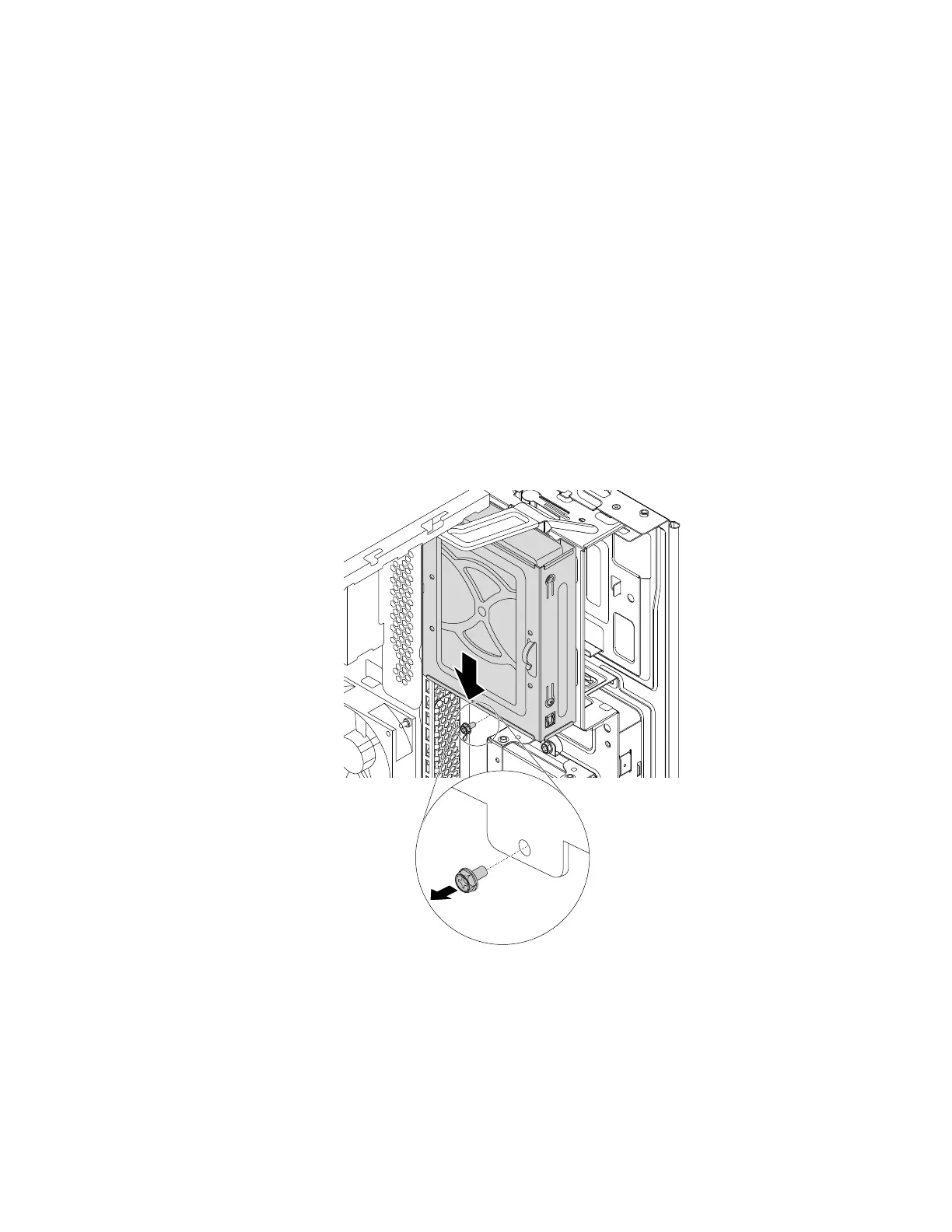
b. Remove the screw and slide the type-1 storage-drive cage downward to release it from the drive bay
assembly.
Figure 96. Removing the type-1 storage-drive cage
Chapter 9. Hardware removal and installation 141














 To Next Page