ThinkStation LED
Attention: Do not open your computer or attempt any repair before reading and understanding the Chapter
1 “Read this first: Important safety information” on page 1.
To remove or install the ThinkStation LED, do the following:
1. Prepare your computer. See “Preparing your computer” on page 98.
2. Locate the ThinkStation LED. See “FRUs and CRUs” on page 35.
3. To remove the ThinkStation LED, do the following:
a. Disconnect the ThinkStation LED cable from the ThinkStation LED connector on the system board.
See “Parts on the system board” on page 38.
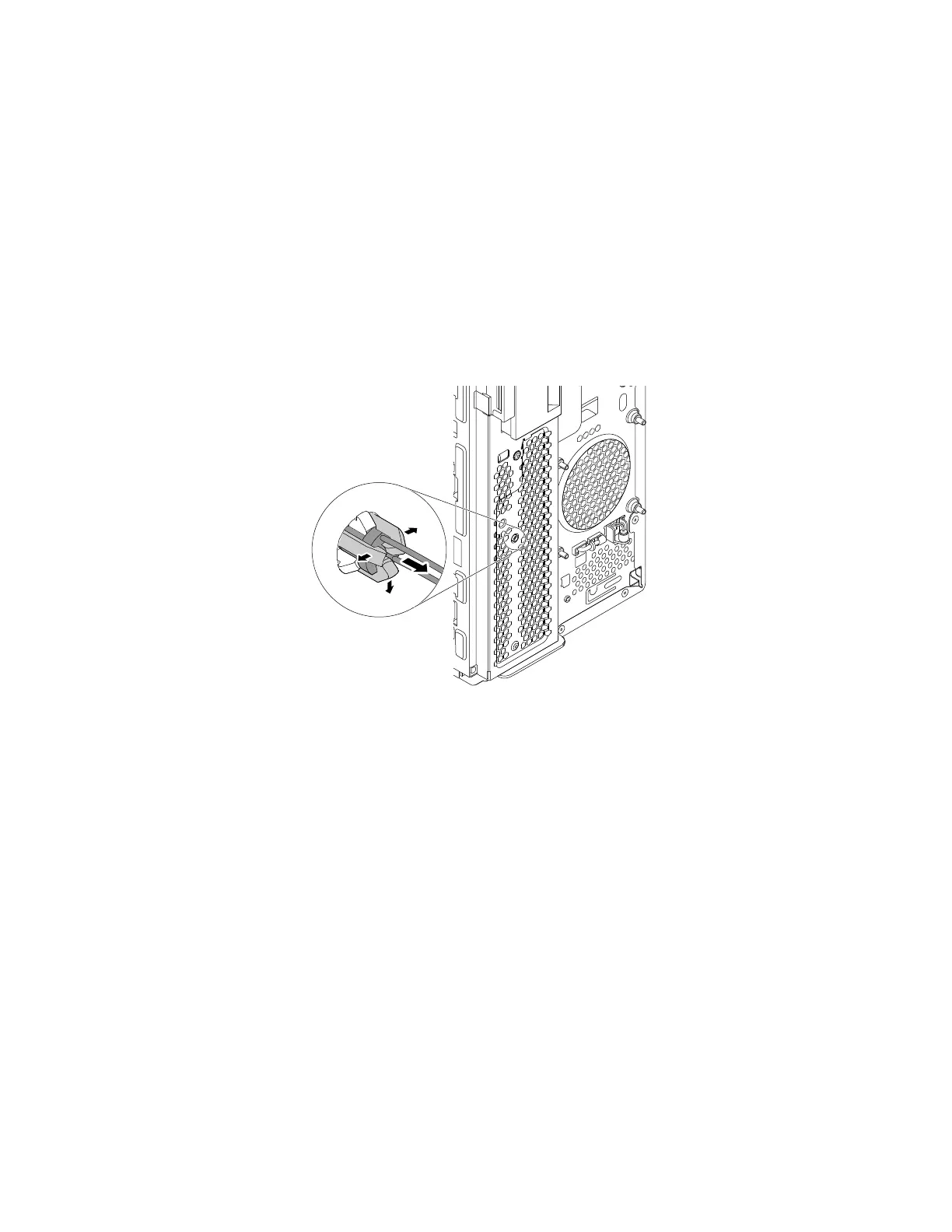
b. From the inner side of the chassis, release the three retaining clips on the plastic holder. Then, grasp
the top of the ThinkStation LED and pull the ThinkStation LED out of the plastic holder.
Figure 116. Removing the ThinkStation LED
4. To install the ThinkStation LED, do the following:
152
P330 Hardware Maintenance Manual














 To Next Page