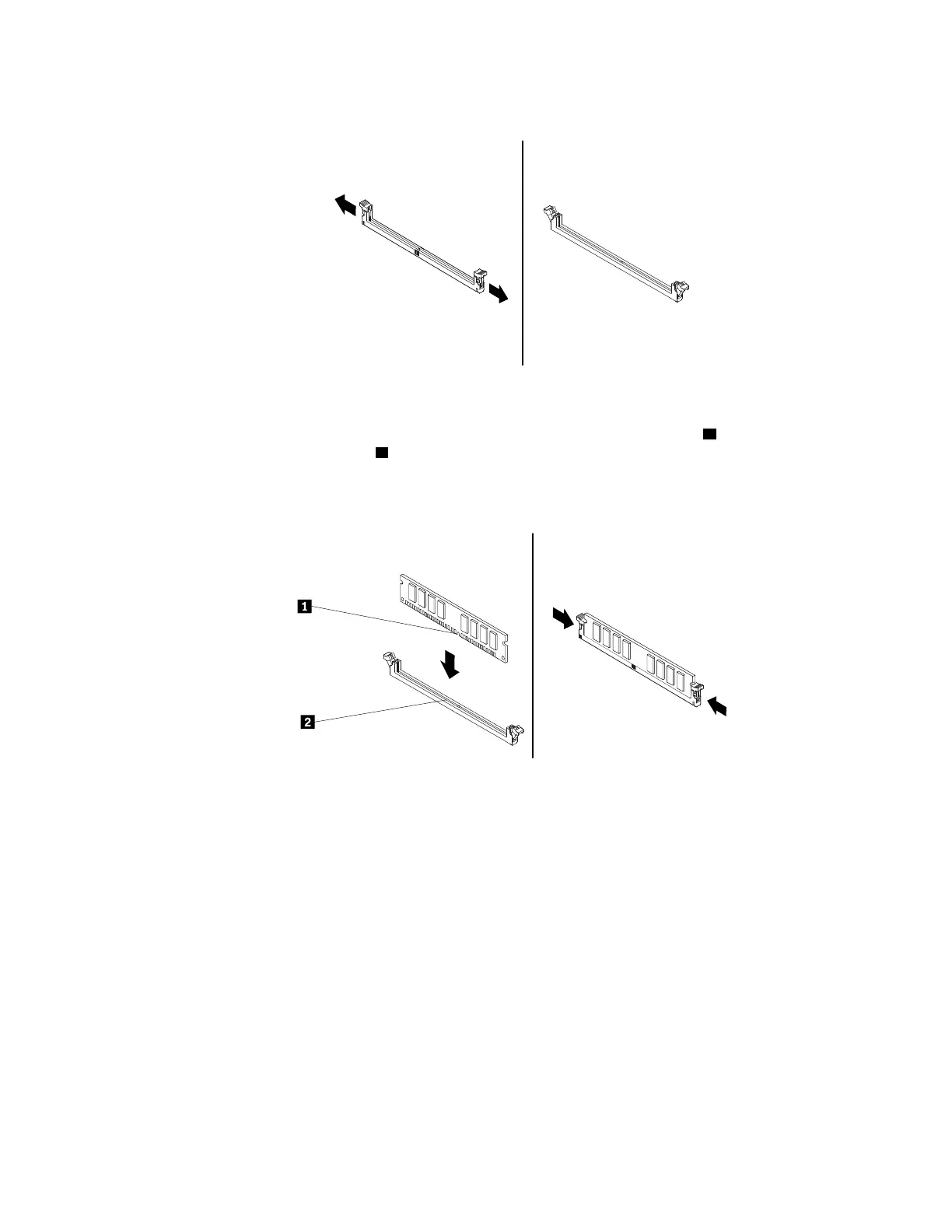
a. Open the retaining clips of the memory slot.
Figure 49. Opening the retaining clips
b. Position the new memory module over the memory slot. Ensure that the notch 1 on the memory
module is aligned with the key
2 in the slot. Push the memory module straight down into the slot until
the retaining clips completely close.
Note: Do not touch the circuit board of the memory module.
Figure 50. Installing a memory module
7. Reinstall any PCIe cards if you have removed them.
What to do next:
• To work with another piece of hardware, go to the appropriate section.
• To complete the installation or replacement, go to “Completing the parts replacement” on page 187.
Device in the flex bay
Attention: Do not open your computer or attempt any repair before reading and understanding the Chapter
1 “Read this first: Important safety information” on page 1.
Some computer models come with a flex bay. Depending on your computer model, one of the following
devices might be installed in the flex bay:
• Flex module
• Flex storage enclosure
Chapter 9. Hardware removal and installation 117














 To Next Page