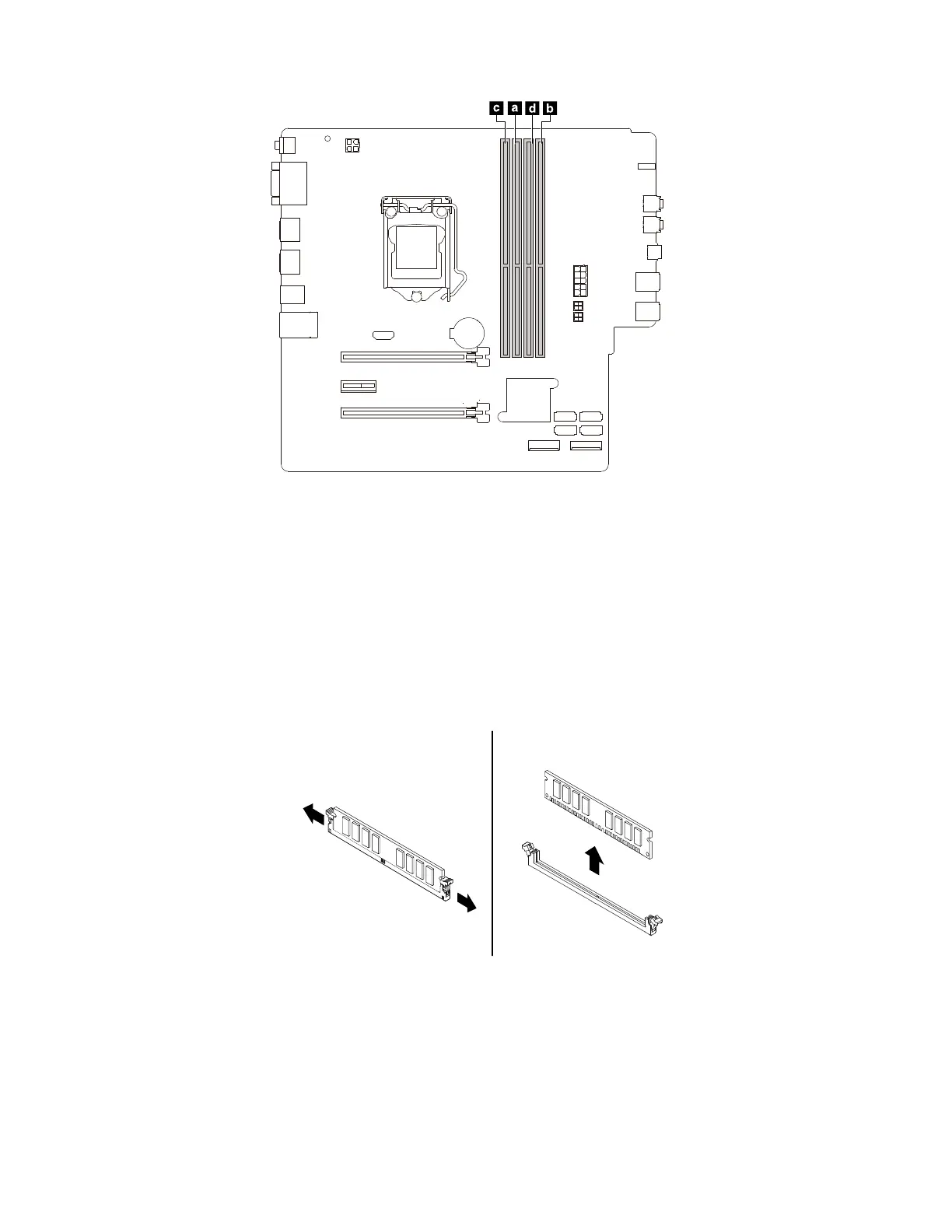
Figure 47. Memory module installation sequence
To install or replace a memory module, do the following:
1. Prepare your computer. See “Preparing your computer” on page 98.
2. Lay the computer on its side for easier access to the system board.
3. Locate the memory slots. See “Parts on the system board” on page 38.
4. Remove any PCIe cards that might prevent your access to the coin-cell battery. See “PCIe card” on
page 103.
5. To remove a memory module, open the retaining clips and gently pull the memory module out of the
memory slot.
Figure 48. Removing a memory module
6. To install a memory module, do the following:
116
P330 Hardware Maintenance Manual














 To Next Page