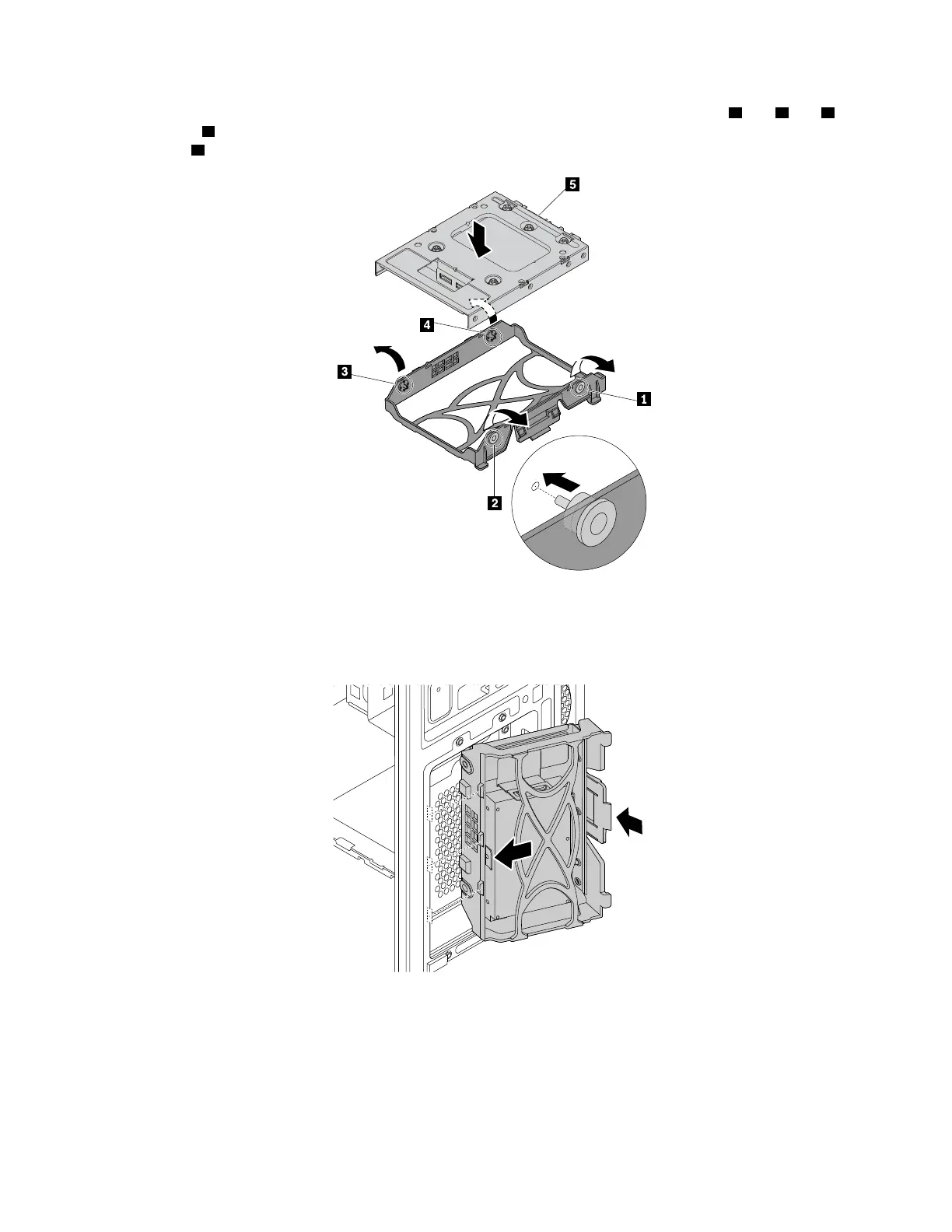
c. To install a new 2.5-inch storage drive into the bracket, flex the bracket and align pin 1 , pin 2 , pin 3 ,
and pin
4 on the bracket with the corresponding holes in the storage drive. Do not touch the circuit
board
5 on the storage drive.
Figure 94. Installing the 2.5-inch storage drive with the storage-drive converter into the bracket
d. Align the three plastic tabs on the left side of the storage drive with the corresponding holes in the
drive bay assembly. Then pivot the storage drive inward until it snaps into position.
Figure 95. Installing the 2.5-inch storage drive
e. Connect the signal cable and the power cable to the new storage drive.
What to do next:
• To work with another piece of hardware, go to the appropriate section.
140
P330 Hardware Maintenance Manual














 To Next Page