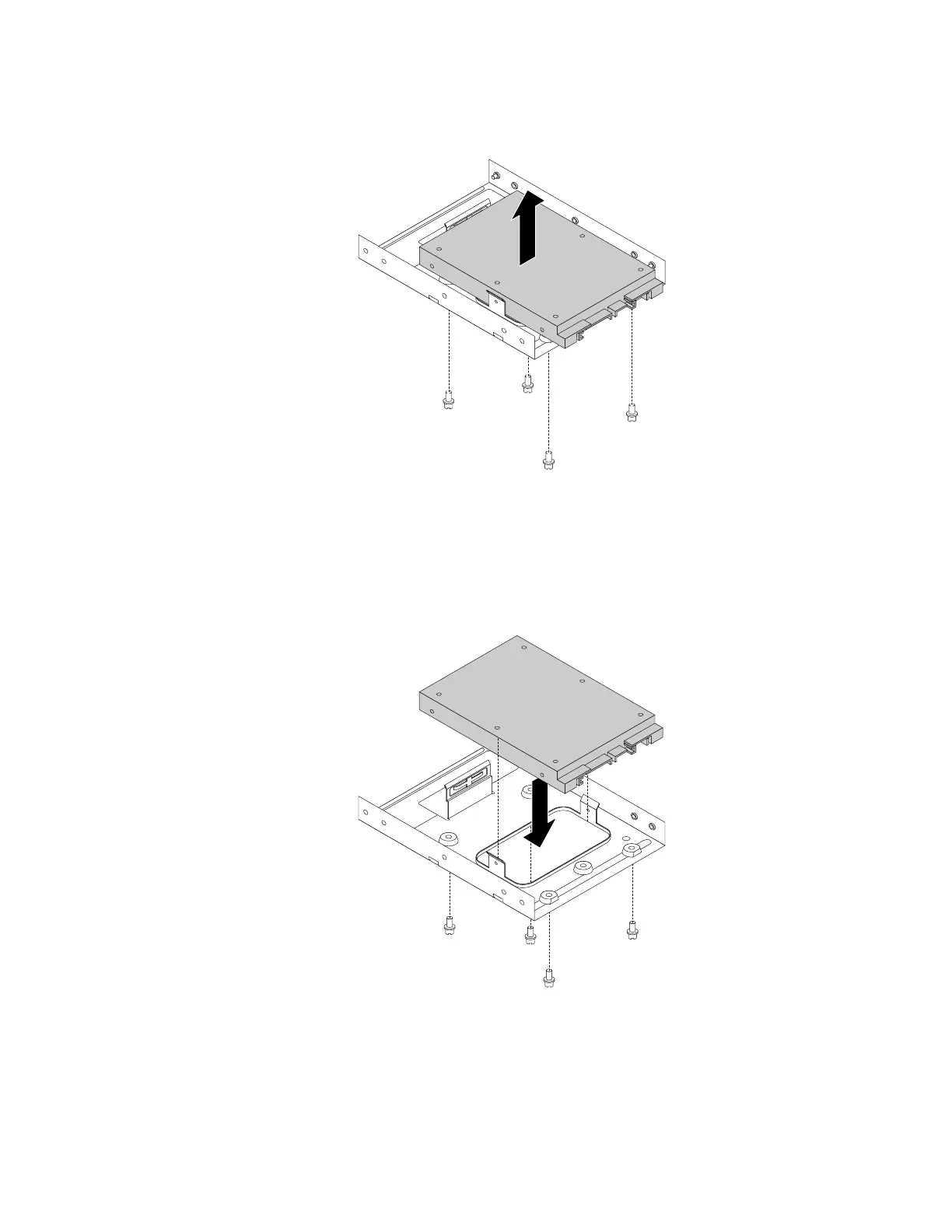
d. Remove the four screws that secure the 2.5-inch storage drive. Then lift the storage drive out of the
storage-drive converter.
Figure 92. Removing the 2.5-inch storage drive from the storage-drive converter
4. To install the 2.5-inch storage drive, do the following:
a. Pull the handle of the plastic 3.5-inch storage-drive bracket to remove it from the storage-drive bay.
b. Install a new 2.5-inch storage drive into the storage-drive converter. Then install the four screws to
secure the new storage drive to the storage-drive converter.
Figure 93. Installing the new 2.5-inch storage drive into the storage-drive converter
Chapter 9. Hardware removal and installation 139














 To Next Page