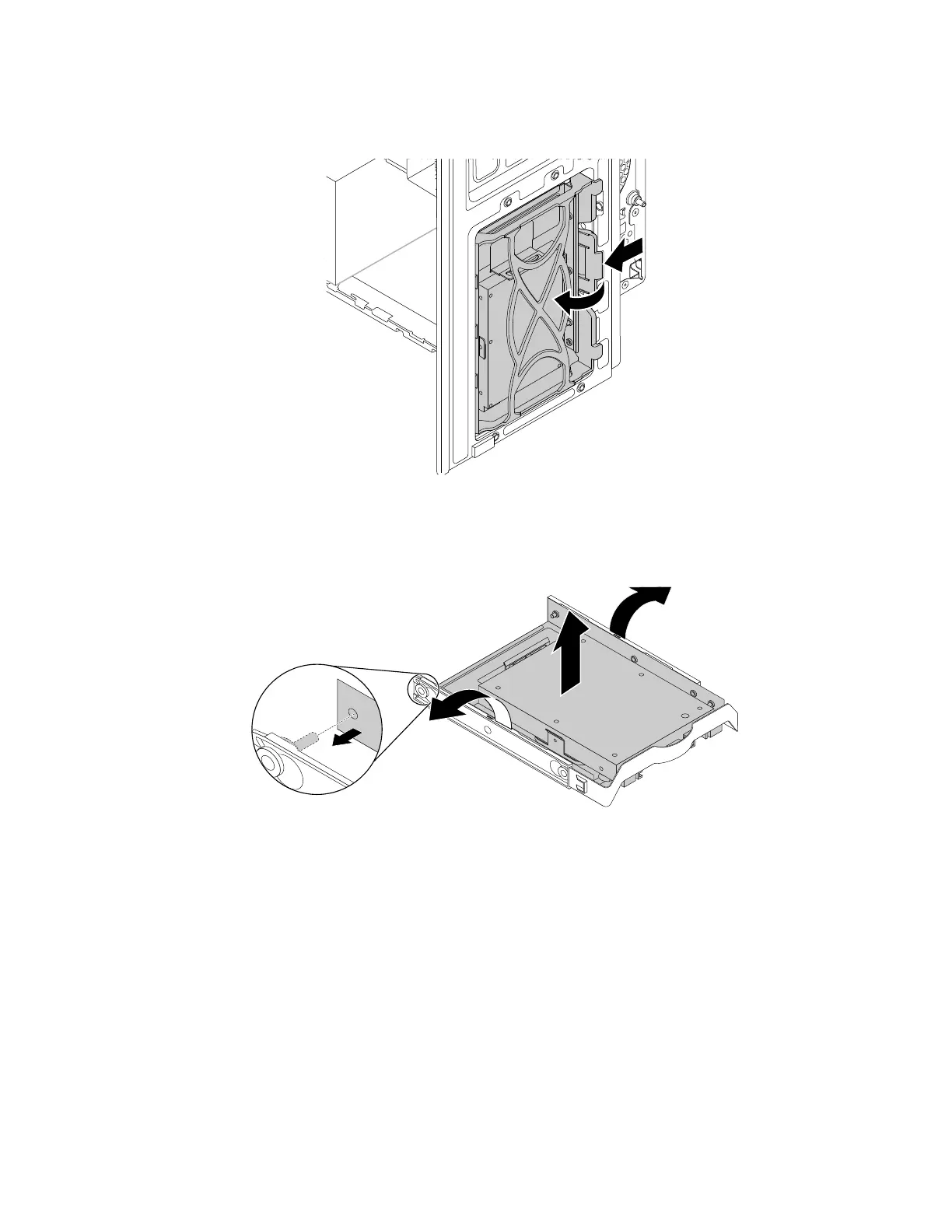
b. Push the tab of the storage-drive bracket as shown and pull the tab outward to remove the storage
drive from the storage-drive bay.
Figure 90. Removing the 2.5-inch storage drive with 3.5-inch storage-drive bracket
c. Flex the sides of the bracket to remove the storage-drive converter from the 3.5-inch storage-drive
bracket.
Figure 91. Removing the storage-drive converter from the 3.5-inch storage-drive bracket
138 P330 Hardware Maintenance Manual














 To Next Page