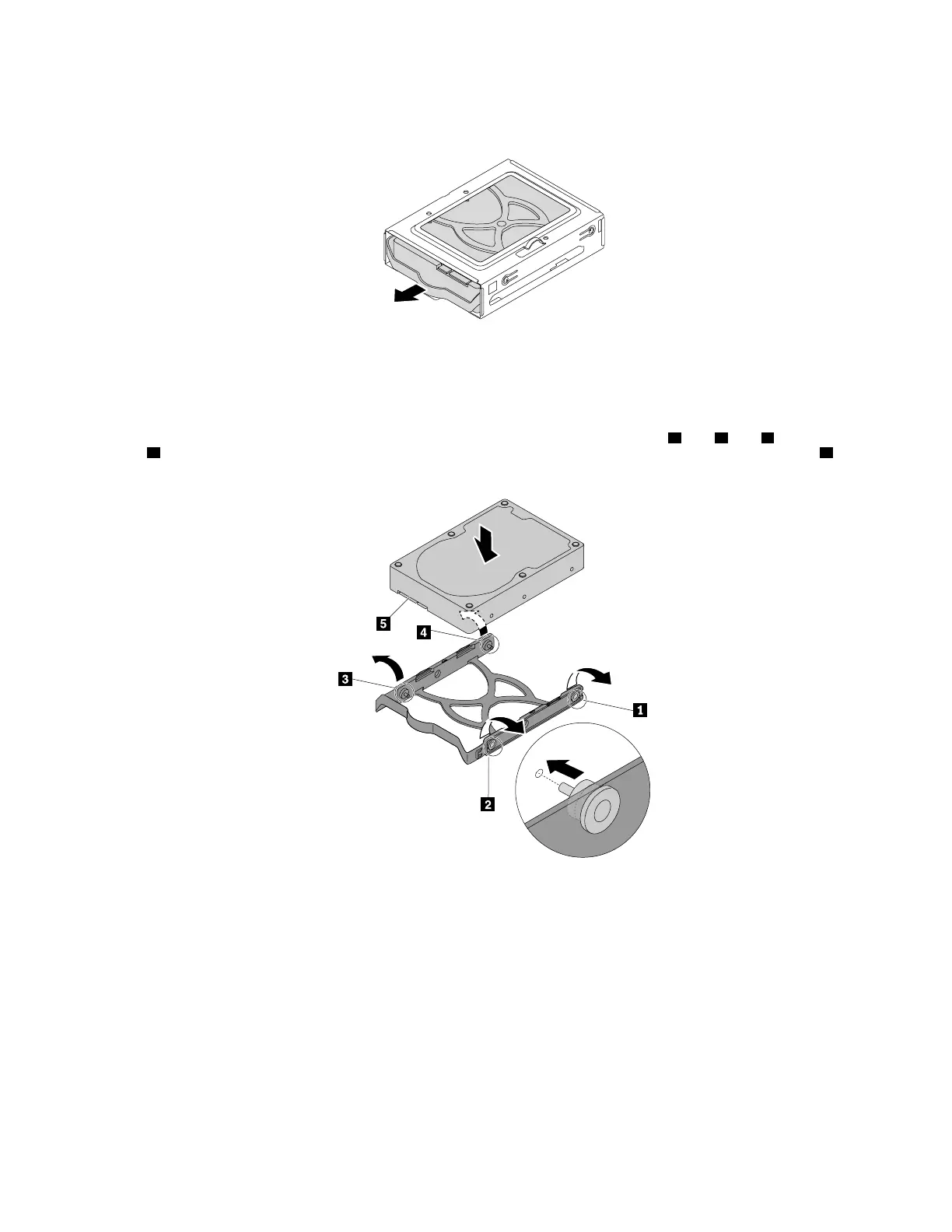
c. Pull the handle of the plastic 3.5-inch storage-drive bracket to remove the storage drive from the
type-1 storage-drive cage.
Figure 97. Removing the 3.5-inch storage drive
d. Flex the sides of the bracket to remove the storage drive from the bracket.
4. To install a 3.5-inch storage drive in the type-1 storage-drive cage, do the following:
a. To install a new storage drive into the bracket, flex the bracket and align pin
1 , pin 2 , pin 3 , and pin
4 on the bracket with the corresponding holes in the storage drive. Do not touch the circuit board 5
on the storage drive.
Figure 98. Installing the storage drive into the bracket
142 P330 Hardware Maintenance Manual














 To Next Page