5. To install the Wi-Fi card module, do the following:
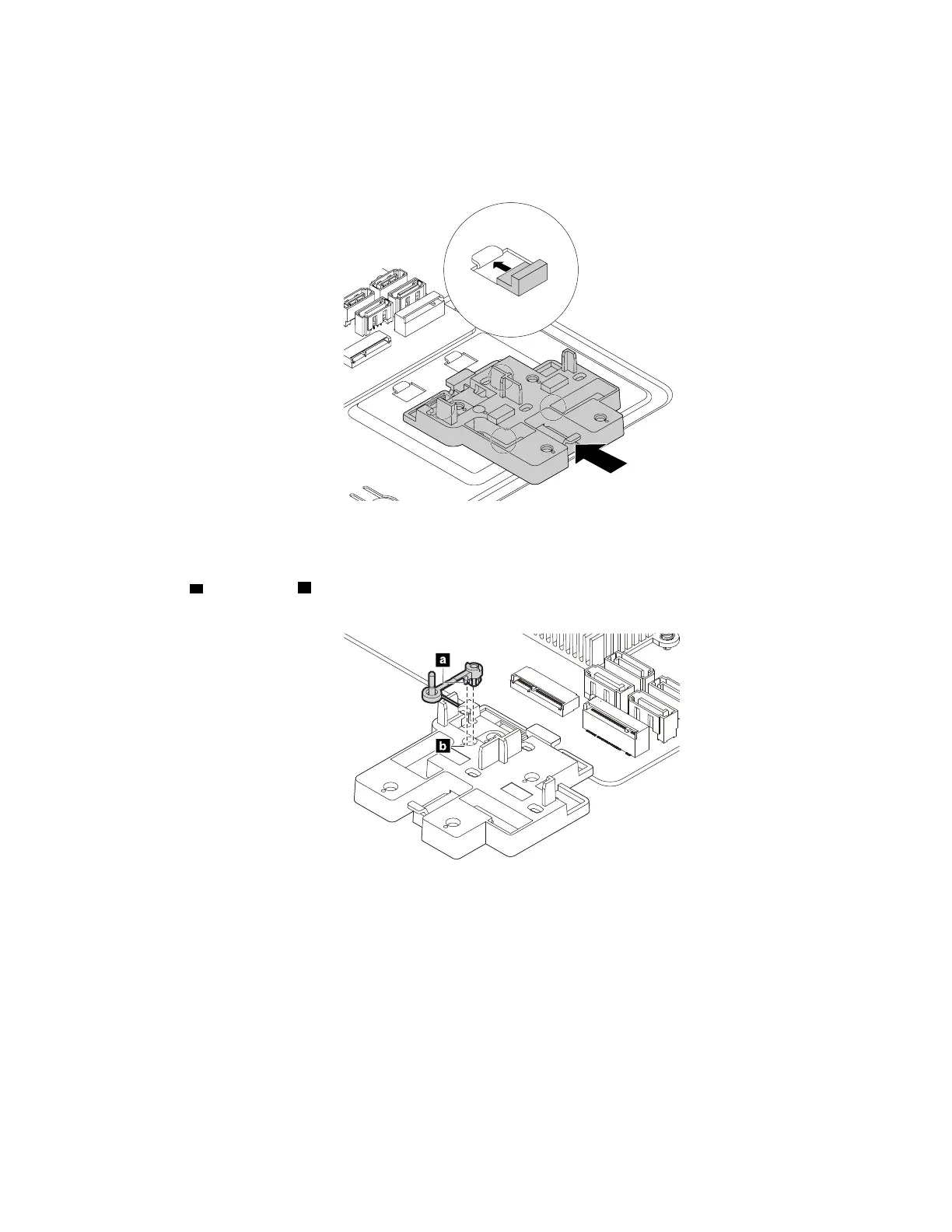
a. If necessary, install the plastic holder first. Align the four tabs on the bottom of the plastic holder with
the corresponding holes in the chassis. Then, slide the plastic holder toward the system board until it
snaps into position.
Figure 134. Installing the plastic holder
b. If necessary, locate the appropriate hole in the plastic holder to install the retention latch. Align the
pin
a with the hole b in the plastic holder. Then, press the retention latch downward until it snaps
into position.
Figure 135. Installing the retention latch
Chapter 9. Hardware removal and installation 165














 To Next Page