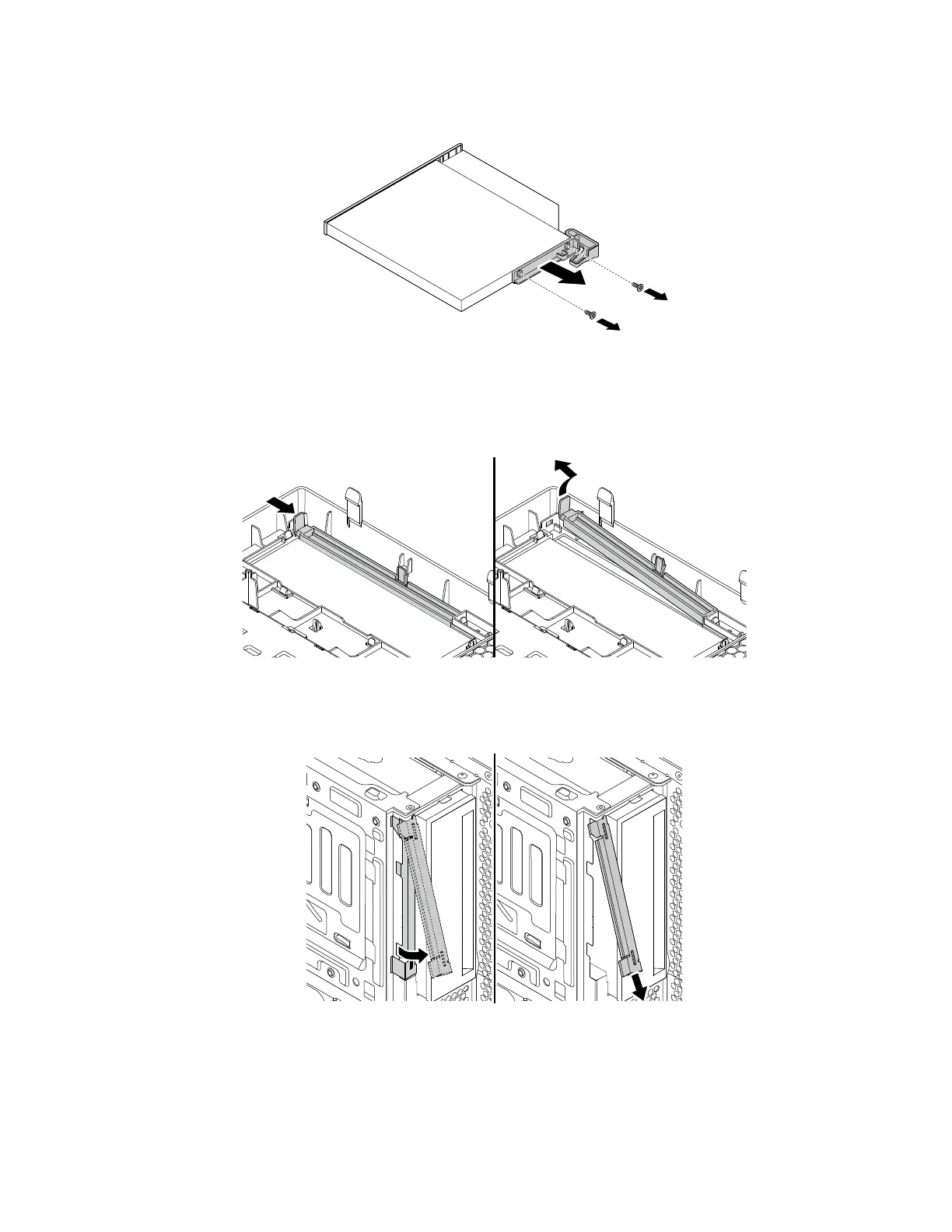
c. Remove the bracket from the slim optical drive.
Figure 18. Removing the bracket
4. To install a new slim optical drive into the drive bay assembly, do the following:
a. If there is a plastic shield installed in the front bezel, remove the plastic shield as shown.
Figure 19. Removing the plastic shield
b. If there is a metal shield installed in the slim optical drive bay, remove the metal shield as shown.
Figure 20. Removing the metal shield
102 P330 Hardware Maintenance Manual














 To Next Page