2. Locate the PCIe card slot. See “Computer components” on page 33.
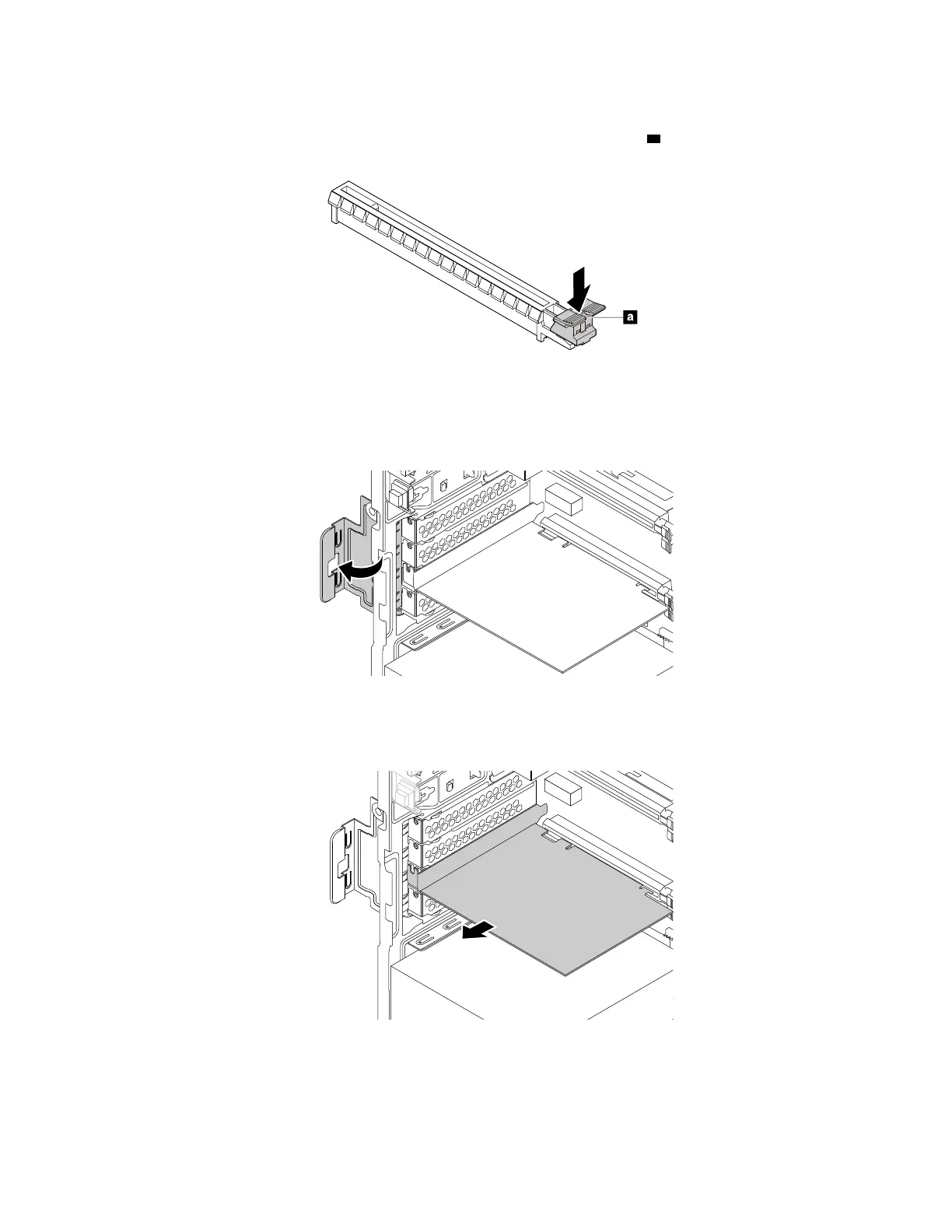
3. If the PCIe card is held in place by a retaining latch, press the retaining latch
a as shown to disengage
the latch.
Figure 23. Disengaging the card retaining latch
4. To remove a PCIe card, do the following:
a. Rotate the PCIe card retainer to the open position.
Figure 24. Rotating the PCIe card retainer
b. Grasp the old card and gently pull it out of the slot.
Figure 25. Removing a PCIe card
104 P330 Hardware Maintenance Manual














 To Next Page