To remove or install a full-length PCIe card, do the following:
1. Prepare your computer. See “Preparing your computer” on page 98.
2. Locate the PCIe card slot. See “Computer components” on page 33.
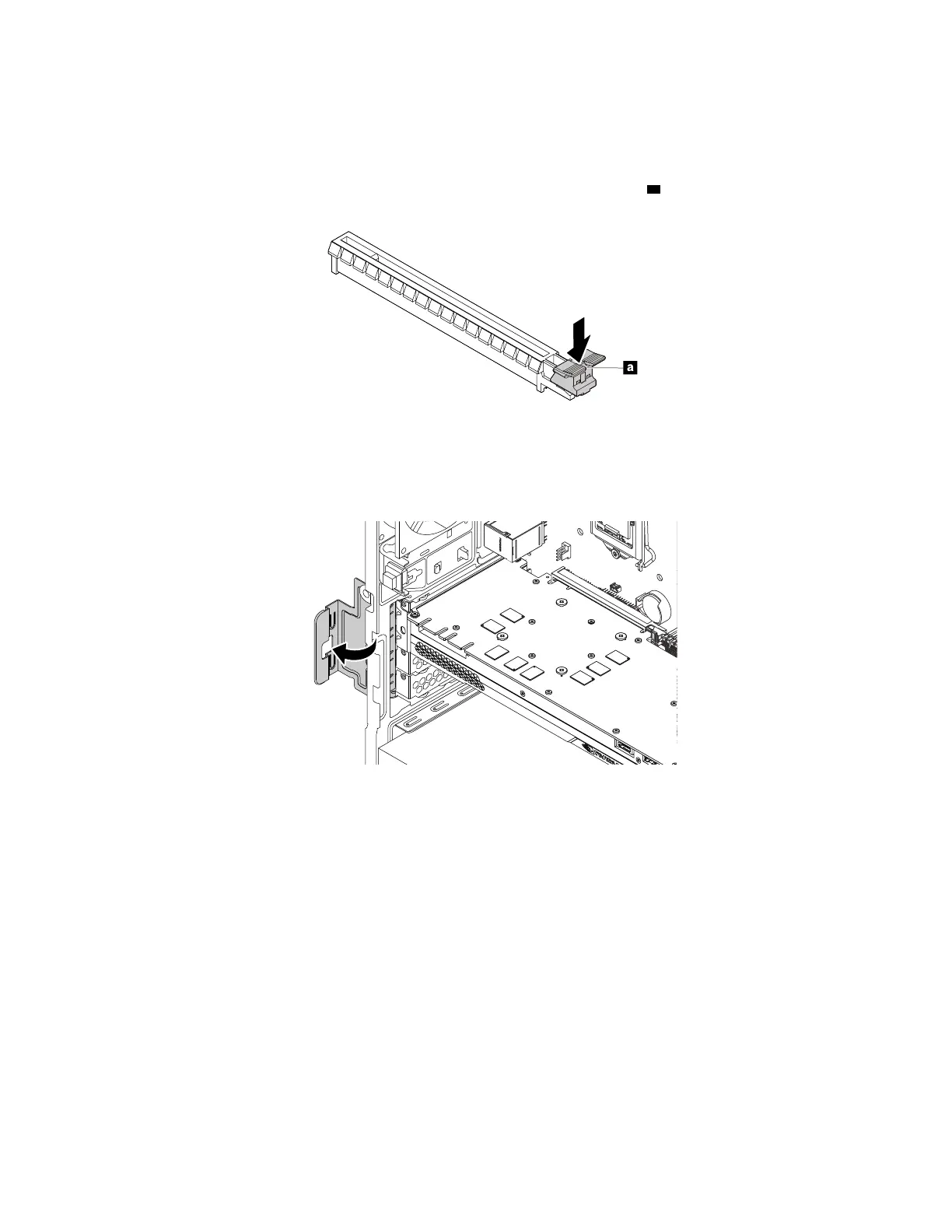
3. If the PCIe card is held in place by a retaining latch, press the retaining latch
a as shown to disengage
the latch.
Figure 28. Disengaging the card retaining latch
4. To remove a PCIe card, do the following:
a. Rotate the PCIe card retainer to the open position.
Figure 29. Rotating the PCIe card retainer
106 P330 Hardware Maintenance Manual














 To Next Page