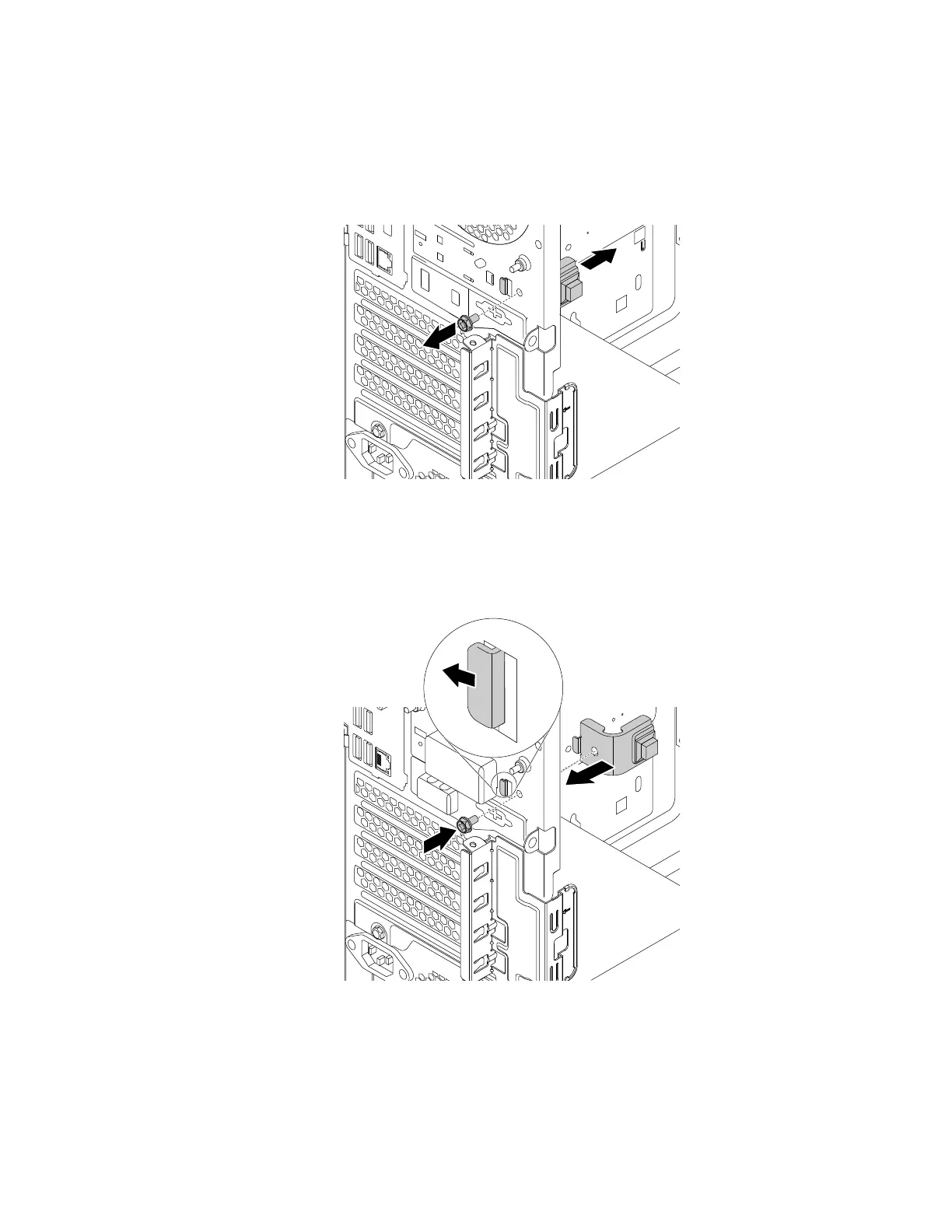
3. To remove the cover presence switch, do the following:
a. Disconnect the cover presence switch cable from the cover presence switch connector on the
system board. See “Parts on the system board” on page 38.
b. Remove the screw that secures the cover presence switch and remove the cover presence switch
from the chassis.
Figure 84. Removing the cover presence switch
4. To install the cover presence switch, do the following:
a. Align the screw hole in the cover presence switch with the corresponding hole in the chassis. Then
install the screw to secure the cover presence switch to the chassis.
Figure 85. Installing the cover presence switch
b. Connect the cover presence switch cable to the cover presence switch connector on the system
board. See “Parts on the system board” on page 38.
Chapter 9. Hardware removal and installation 133














 To Next Page