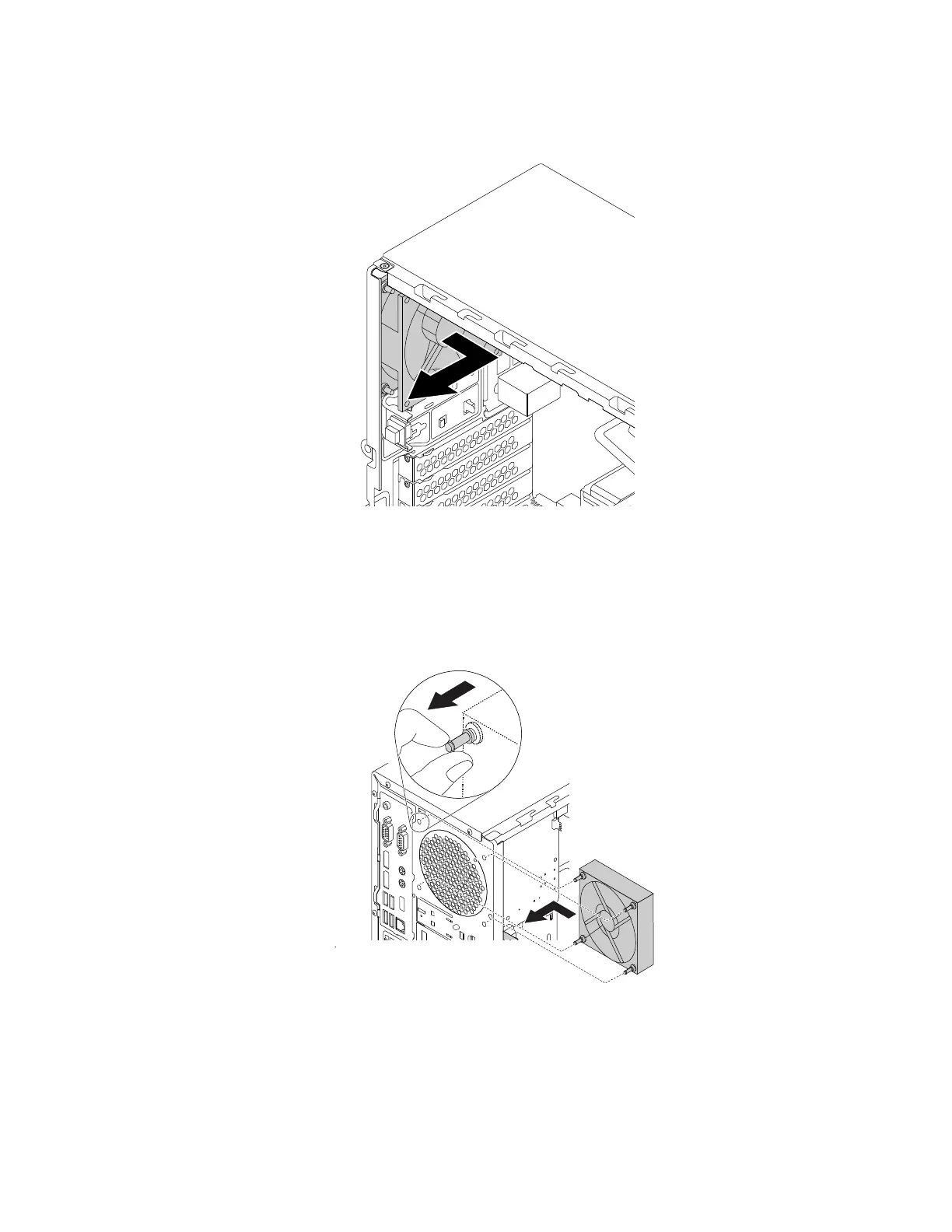
b. The rear fan is attached to the chassis by four rubber mounts. Break or cut the rubber mounts and
gently pull the rear fan out of the chassis.
Figure 124. Removing the rear fan
4. To install the rear fan, do the following:
a. Align the new rubber mounts of the new rear fan with the corresponding holes in the chassis. Push
the rubber mounts through the holes.
b. Pull the tips of the rubber mounts until the rear fan is secured in place.
Figure 125. Installing the rear fan
c. Connect the rear-fan cable to the rear-fan connector on the system board. See “Completing the
parts replacement” on page 187.
158
P330 Hardware Maintenance Manual














 To Next Page