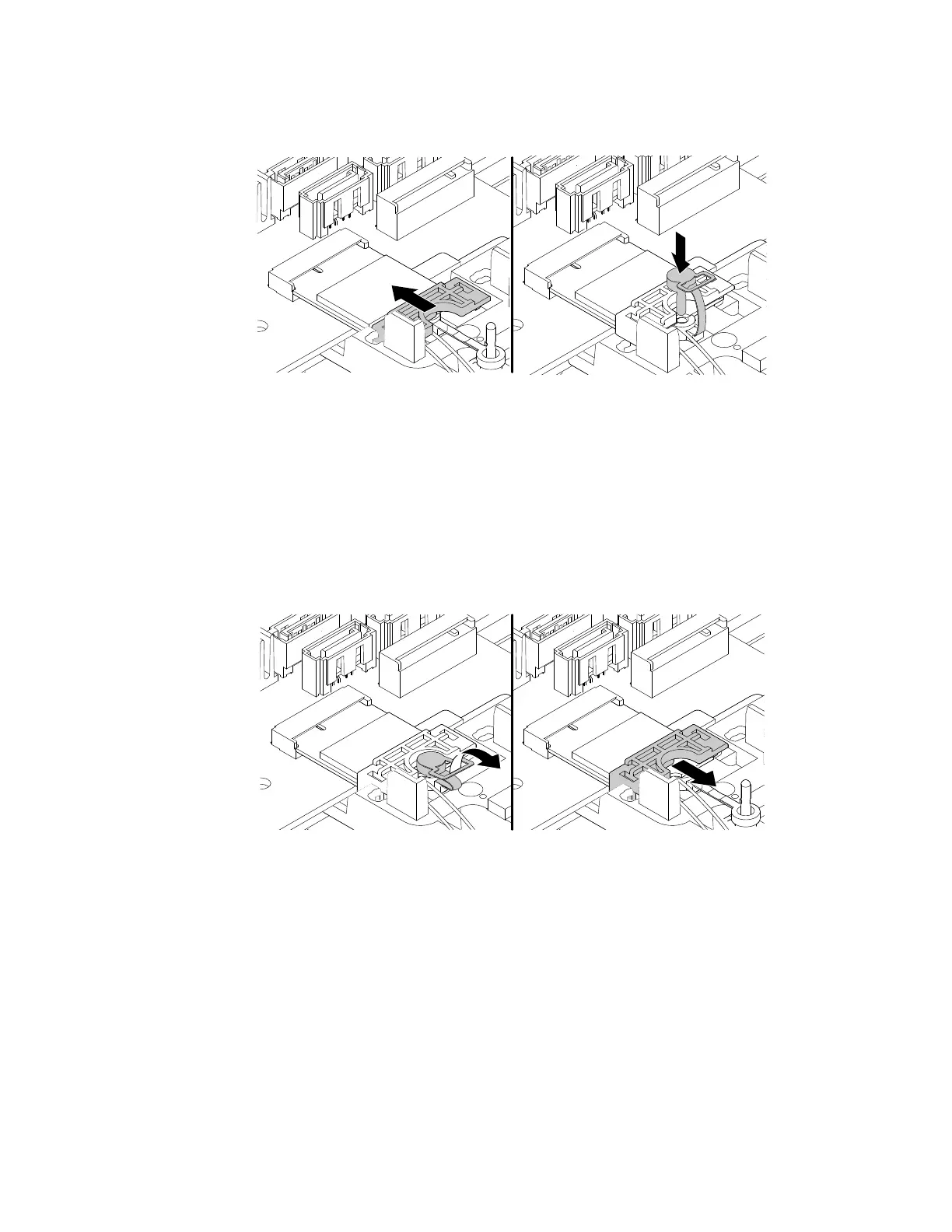
e. Reinstall the shield and insert the plug of the retention latch into the hole to secure the Wi-Fi card
module.
Figure 138. Reinstalling the shield and insert the plug of the retention latch into the hole to secure the Wi-Fi card
module
Front Wi-Fi antenna
To remove or install the front Wi-Fi antenna, do the following:
1. Prepare your computer. See “Preparing your computer” on page 98.
2. Locate the front Wi-Fi antenna. See “FRUs and CRUs” on page 35.
3. To remove the front Wi-Fi antenna, do the following:
a. Pull the handle of the retention latch outward to the open position and remove the shield as shown.
Figure 139. Pulling handle of the retention latch outward and removing the shield
b. Disconnect the front Wi-Fi antenna cable from the Wi-Fi card module.
Chapter 9. Hardware removal and installation 167














 To Next Page