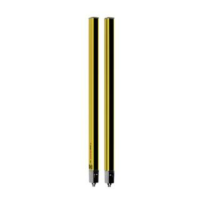
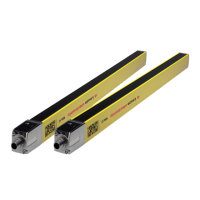
Device description
Leuze electronic MLC 520 13
Display Description
For alignment
Alignment display (see chapter 3.3.3 "Alignment display")
• Segment1: beam area in upper third of the protective field
• Segment2: beam area in middle third of the protective field
• Segment3: beam area in lower third of the protective field
For error diagnostics
F… Failure, internal device error
E… Error, external error
U… Usage info, application error
For error diagnostics, the error's respective letter is displayed first followed by the number code. The dis-
play is repeated cyclically. An AutoReset is carried out after 10s for errors that do not cause locking, with
an unauthorized restart being impossible. In the case of blocking errors, the voltage supply must be sepa-
rated and the cause of the error must be eliminated. Before switching on again, the steps taken before ini-
tial commissioning must be repeated (see chapter 9.1 "Before the initial start-up and following modifica-
tions").
The 7-segment display switches to alignment mode when the device has not yet been aligned or when the
protective field has been interrupted (after 5s). In this case, a fixed beam area from the protective field is
assigned to every segment.
3.3.3 Alignment display
Approximately 5s after a protective-field interruption, the 7-segment display switches to alignment mode.
In this mode, one third of the total protective field (top, middle, bottom) is assigned to one of the three hori-
zontal segments and the state of this sub-protective field displayed as follows:
Tab.3.5: Function of alignment display
Segment Description
On All beams in the beam area are uninterrupted.
Flashing At least one, but not all beams in the beam area are uninterrupted.
Switched off All beams in the beam area are interrupted.
When the protective field has been free for about 5s, the device switches back to the display of the operat-
ing mode.



 To Next Page
 Loading...