Using the Web File Sharing
You can access and download files on GNS-2000 using your Web Browser, even from
non-Windows platforms.
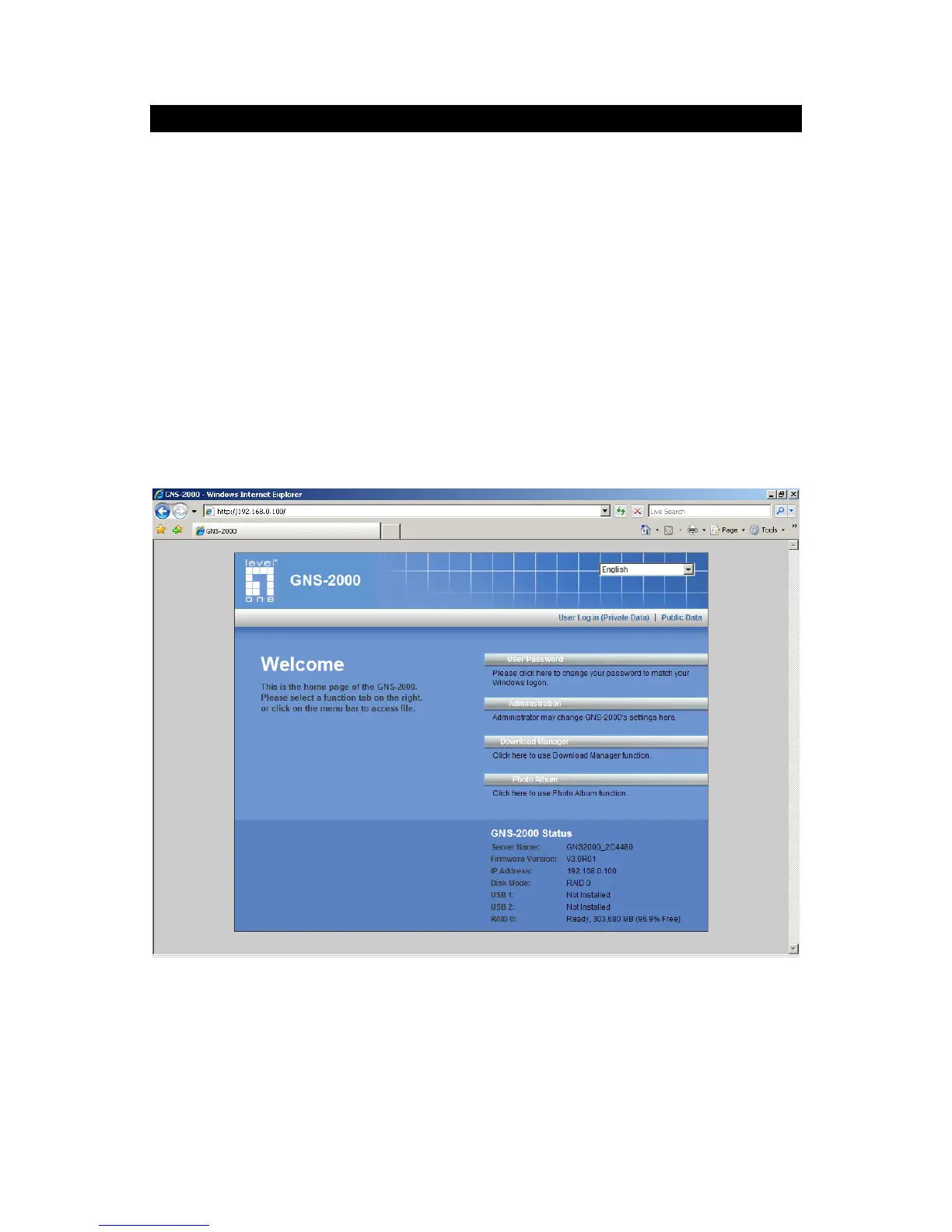
To access data stored on GNS-2000 using your Web Browser:
1. Start your WEB browser.
2. In the Address box, enter "HTTP://" and the NAS Server's IP Address.
Note: If the port number used by GNS-2000 has been changed (on the System screen)
from the default (80), you must specify the correct port number when you connect.
For example, if the current port is 8080:
HTTP://192.168.0.100:8080
3. The following screen will be displayed.
NAS Home Page
4. To browse the files and folders on GNS-2000, click Public Data on the home screen
above.
Shares (Folders) to which everyone has access are listed. You can access these
folders, and files by clicking on the folder name or filename.



 To Next Page