Advanced Menu
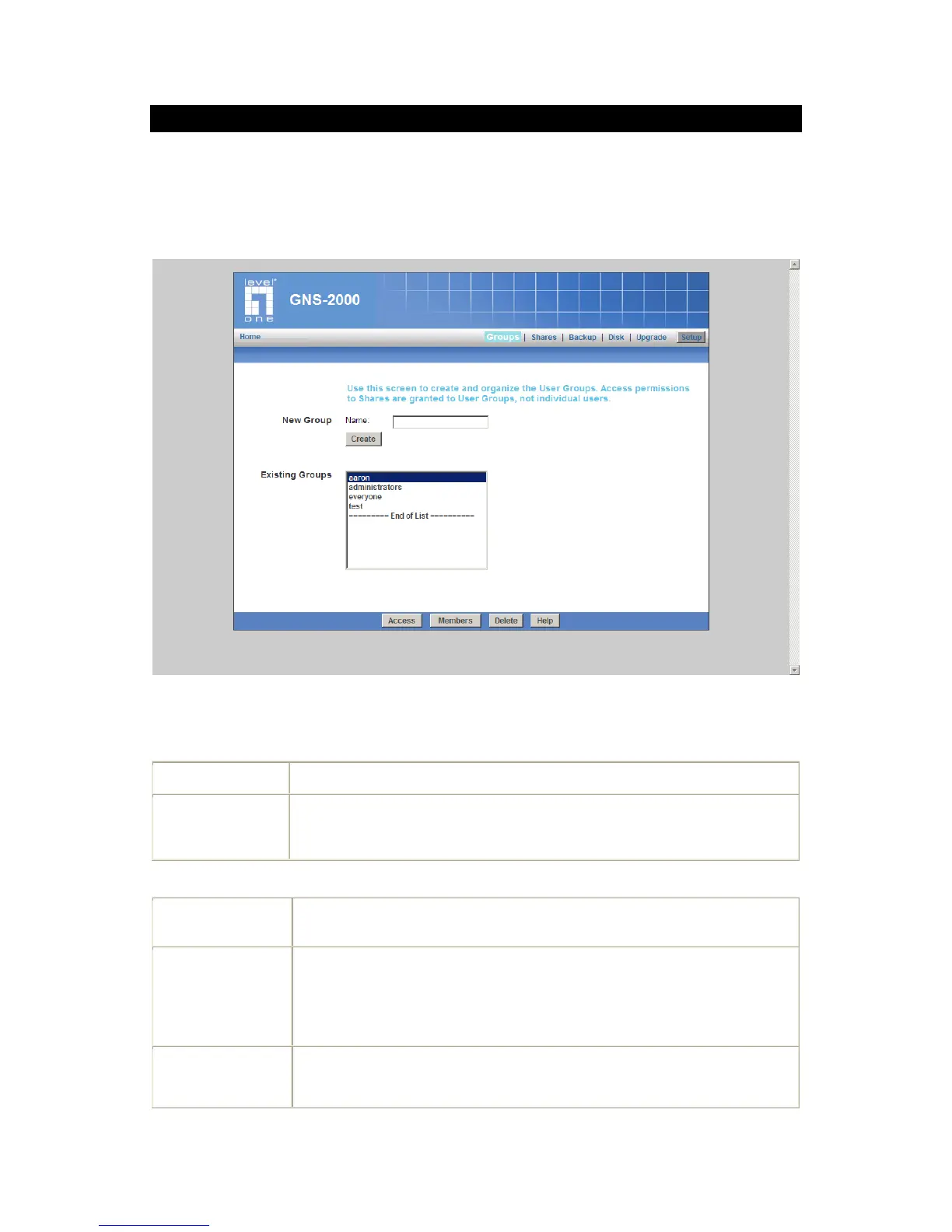
Groups Screen
This screen allows you to manage the User Groups that exist on GNS-2000.
Groups Screen
Data
Use this area to create a new group.
This shows the list of all Groups.
Two groups - "everyone" and "administrators" - always exist. These groups
cannot be deleted.
Use this Button to create a new Group. Enter the desired name for the new
Group in the "Name" field, then click this button.
Clicking this will display the shares which members of the current Group are
able to access. You can then assign, remove or modify access rights for this
Group.
Note: The "administrators" Group ALWAYS has Read/Write access to ALL
Shares.
Clicking this will display the users who are members of the selected Group.
You can then add or delete members.
Note: The "everyone" Group ALWAYS contains all users. You cannot add or



 To Next Page