EasyManua.ls Logo

LevelOne GNS-2000 - Network Configuration; IP Address Settings

LevelOne GNS-2000
92 pages
Print Icon
To Next Page IconTo Next Page
To Previous Page IconTo Previous Page
Loading...
34
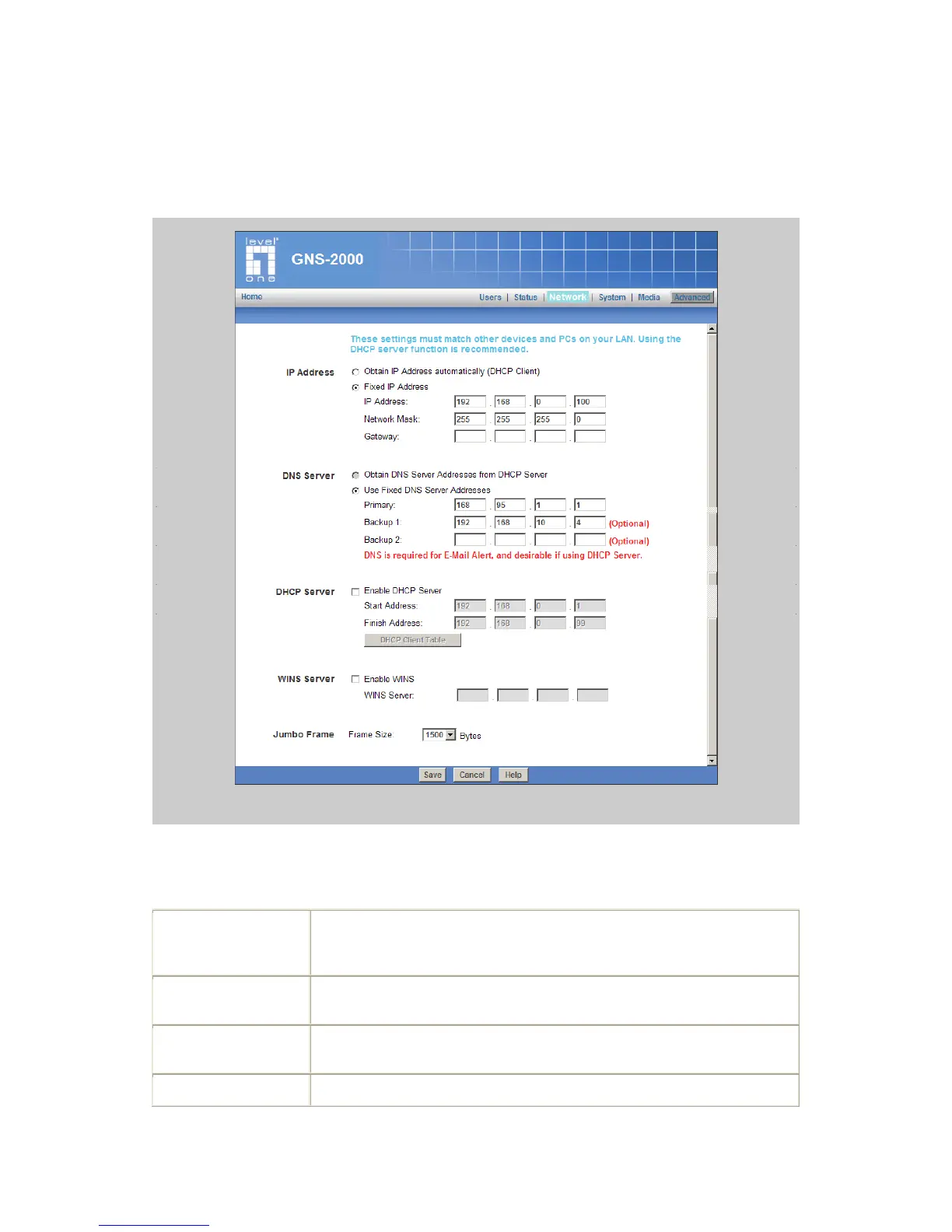
Network Screen
This screen allows you to set the IP Address and related information required for TCP/IP
networks.
Network Screen
IP Address
Obtain IP Address
automatically
(DHCP Client)
Do NOT select this unless you have a DHCP Server on your LAN. A
DHCP Server can provide an IP Address to PCs and other devices when
they boot.
Fixed IP Address
Select this if your LAN does not have a DHCP Server, and enter the
following data.
IP Address
The IP Address must be unused, and compatible with the PCs on your
LAN.
Network Mask
Enter the same Network Mask (Subnet Mask) used by PCs on your LAN.

Other manuals for LevelOne GNS-2000