Printing via IPP (Internet Printing Protocol)
To print to GNS-2000 via the Internet, the port used for IPP (TCP port 631) must be asso-
ciated with GNS-2000. See Making the NAS available via the Internet earlier in this chapter
for details.
The NAS is an IPP Server. To use IPP, your PC must be an IPP client. Windows 2000
and XP have built-in support for IPP, so there is no need to use the provided IPP client
program.
IPP Setup - Windows 2000/XP
1. Start the Add Printer wizard.
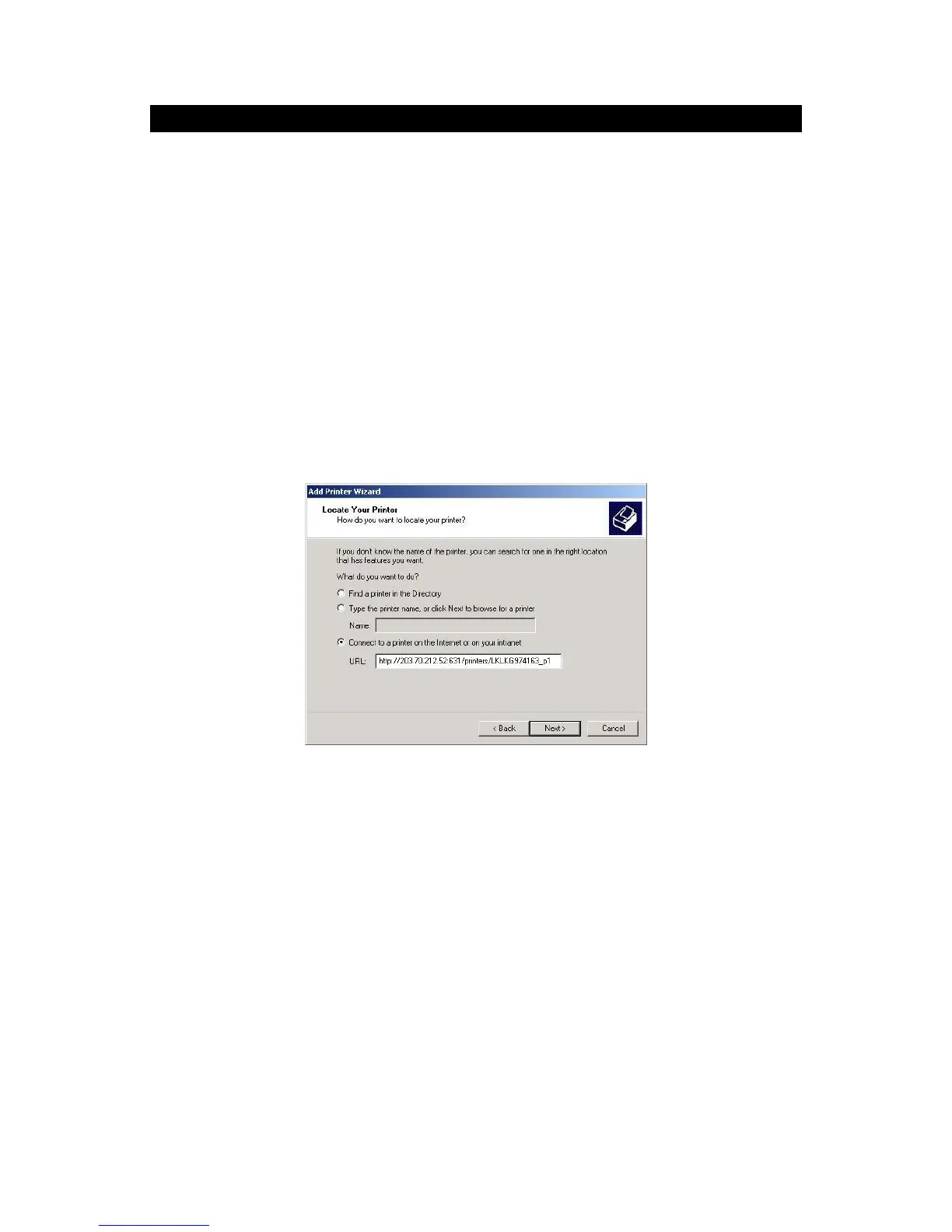
2. Select Network Printer, and click "Next" to see the Locate your Printer screen, as
shown below.
Windows 2000 - Locate your Printer
3. Select Connect to a printer on the Internet or on your Intranet, and enter the URL of
GNS-2000 as follows.
http://ip_address:631/printers/printer_name
Where:
ip_address represents the IP Address used to access the NAS. (As explained
earlier, this may be the Internet address of a Gateway, rather than the NAS itself.)
printer_name is the name of the printer, as set on the NAS System screen.
The other text is fixed, and can NOT be changed. It must be entered exactly as
shown, including the same case. (The path is case sensitive.)
Example:



 To Next Page