NAS via the Internet
Overview
If your LAN is connected to the Internet, typically by a Broadband Gateway/Router and
Broadband modem, you can make GNS-2000 available via the Internet. Features available
to Internet users include:
Using a Web browser to view and download files.
Remote management
Making the NAS available via the Internet
If your LAN is connected to the Internet via a Router or Gateway, you can make GNS-2000
available from the Internet.
No changes to the NAS configuration are required, unless you wish to use a port
number other than the default value of 80 for Web connections.
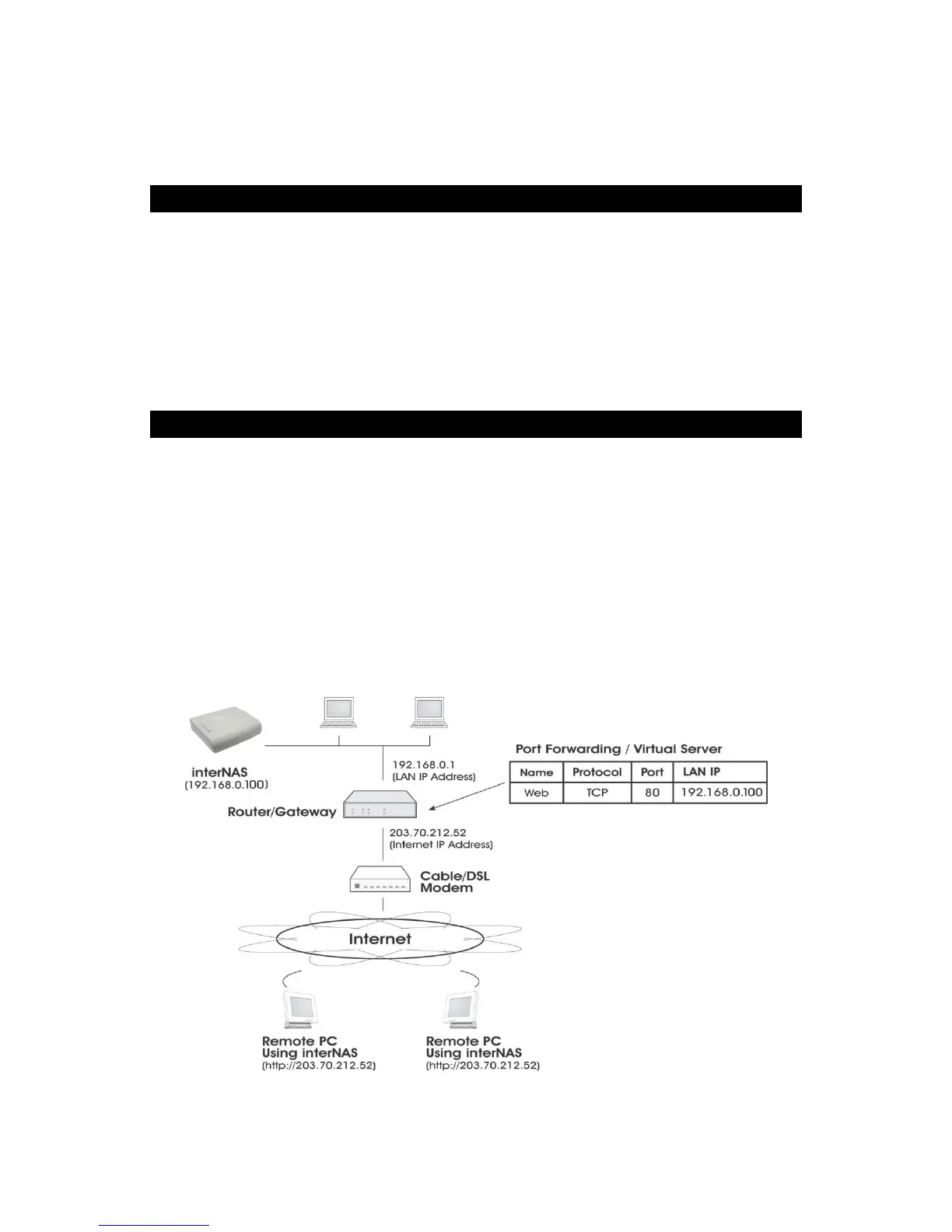
Your Router or Gateway must be configured to pass incoming HTTP connections (and
optionally, IPP connections) to the NAS. This feature is normally called Port Forwarding or
Virtual Servers, and is illustrated below.
Connecting via the Internet



 To Next Page