Increase the priority of the task.
Decrease the priority of the task.
Leave the screen of Download Manager.
Open the window to add new task.
Refresh the status of tasks.
Click it to view on-line help.
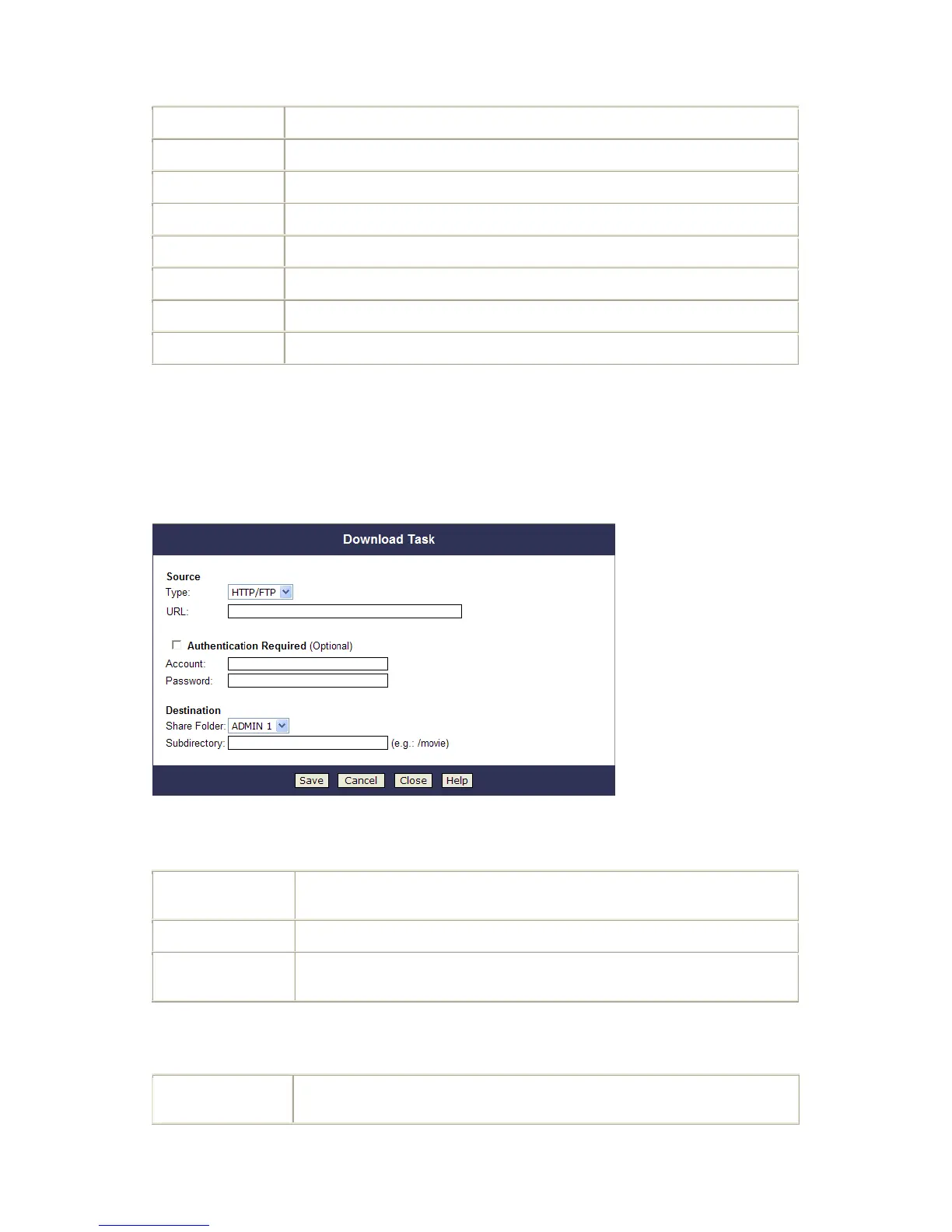
Add New Task Screen
This screen allows you define download task of Download Manager.
Add New Task Screen
Source
Specify type of the file to be downloaded. It can be HTTP/FTP or BT (Bit
Torrent).
Specify the URL if type is HTTP/FTP.
Specify the torrent file with which you need download files. You can upload it
from local pc or provide one HTTP/FTP URL for it.
Authentication
Required (Optional)
If authentication is needed to access the URL, need enable it and input the
account and password.



 To Next Page