20
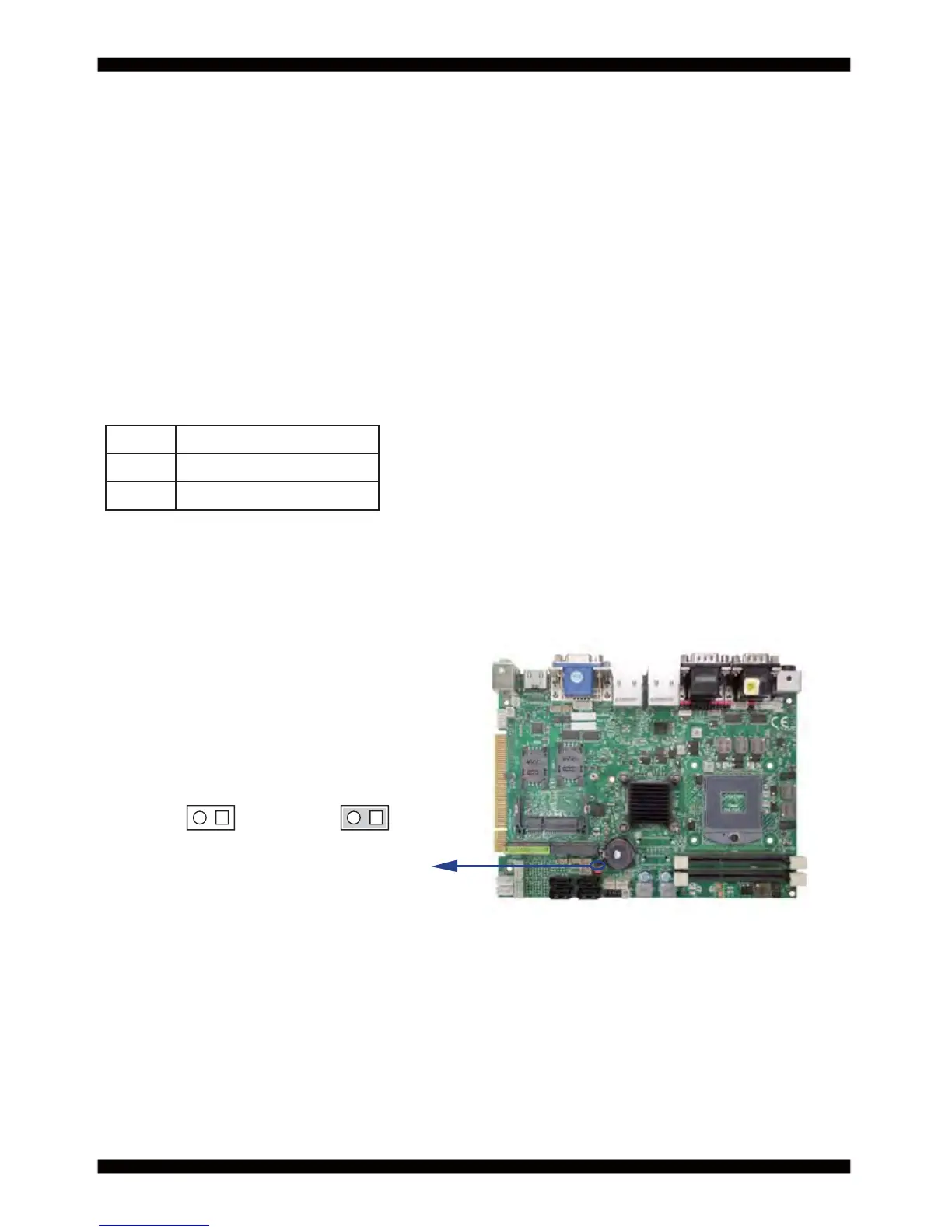
2-9 JSB1: CMOS Data Clear
Note: Normal work is open jumper
JSB1
Note: Do not clear CMOS unless
1. Troubleshooting
2. Forget password
3. You fail over-clocking system
JSB1 Description
*open Normal set
short CMOS data clear
1122
*Open short
A battery must be used to retain the motherboard confi guration in CMOS RAM.
Close Pin1 and pin 2 of JSB1 to store the CMOS data.
To clear the CMOS,follow the procedures below:
1. Turn off the system and unplug teh AC power
2. Remove DC IN power cable from DC IN power connector
3. Locate JSB1 and close pin 1-2 for few seconds
4. Return to default setting
5. Connect DC IN power cable back to DC IN Power connector



 To Next Page