98
The Sample code source you can download from
How to use this Demo Application
Source fi le: 75111_VB_v1.1.rar
Binary fi le: 75111_VB_Src1.1.rar
USERNAME & PASSWORD: sf
http://tprd.info/lexwiki/index.php/IO_Device:F75111_VB6
1-3 IO Device: F75111 VB6 under Windows
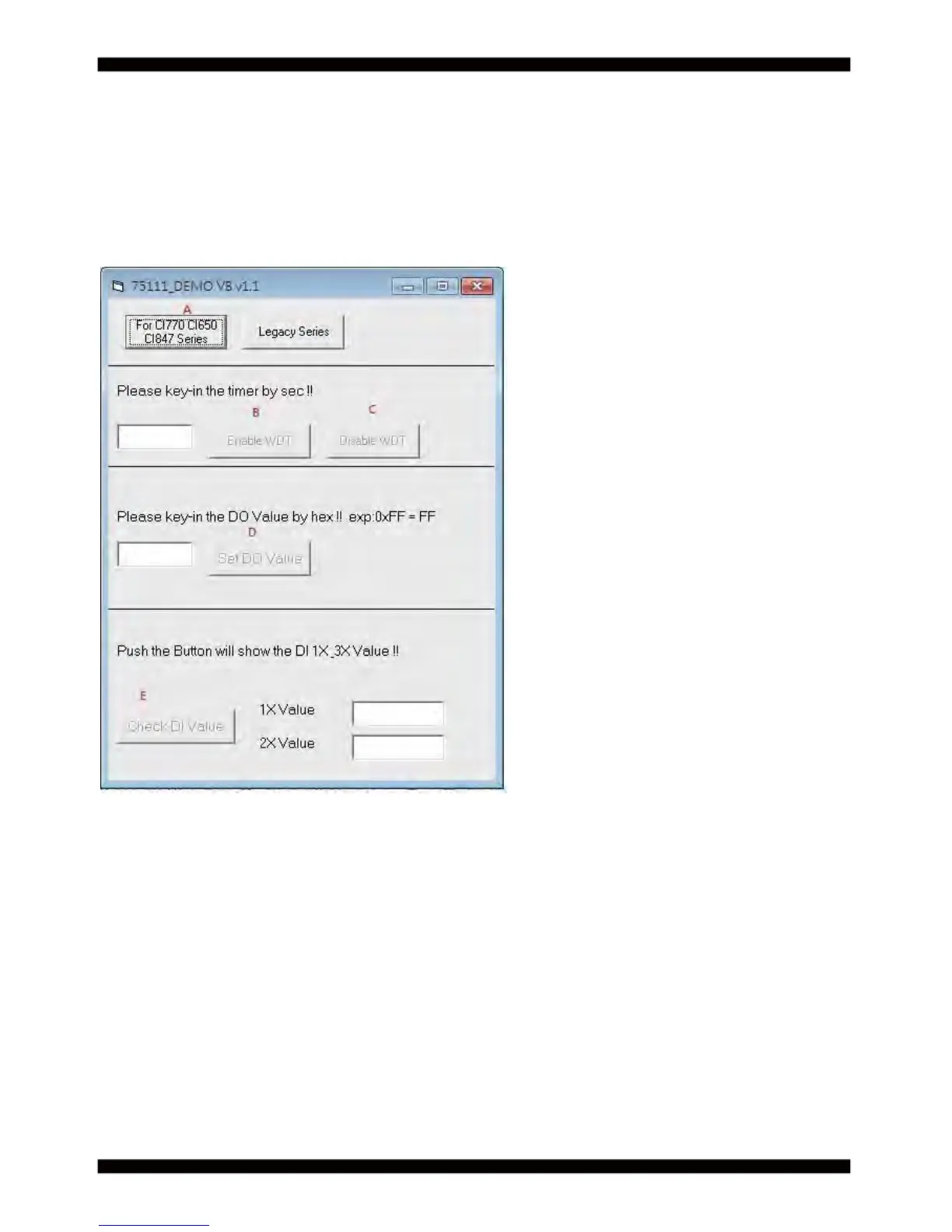
A Function - Choose your motherboard model
B Function - Enable WDT timer ,Key-in the value by seconds then system will reboot after
value which you key-in in left text box !!
C Function - Disable WDT timer ,Push down the button then WDT timer value will be clear !!
D Function - Set DO Value ,Key-in the DO value by hex then push the button !!
E Function - Check DI Value ,The right side two text box will display DI 1X & 2X Value when
you push down the button!!



 To Next Page