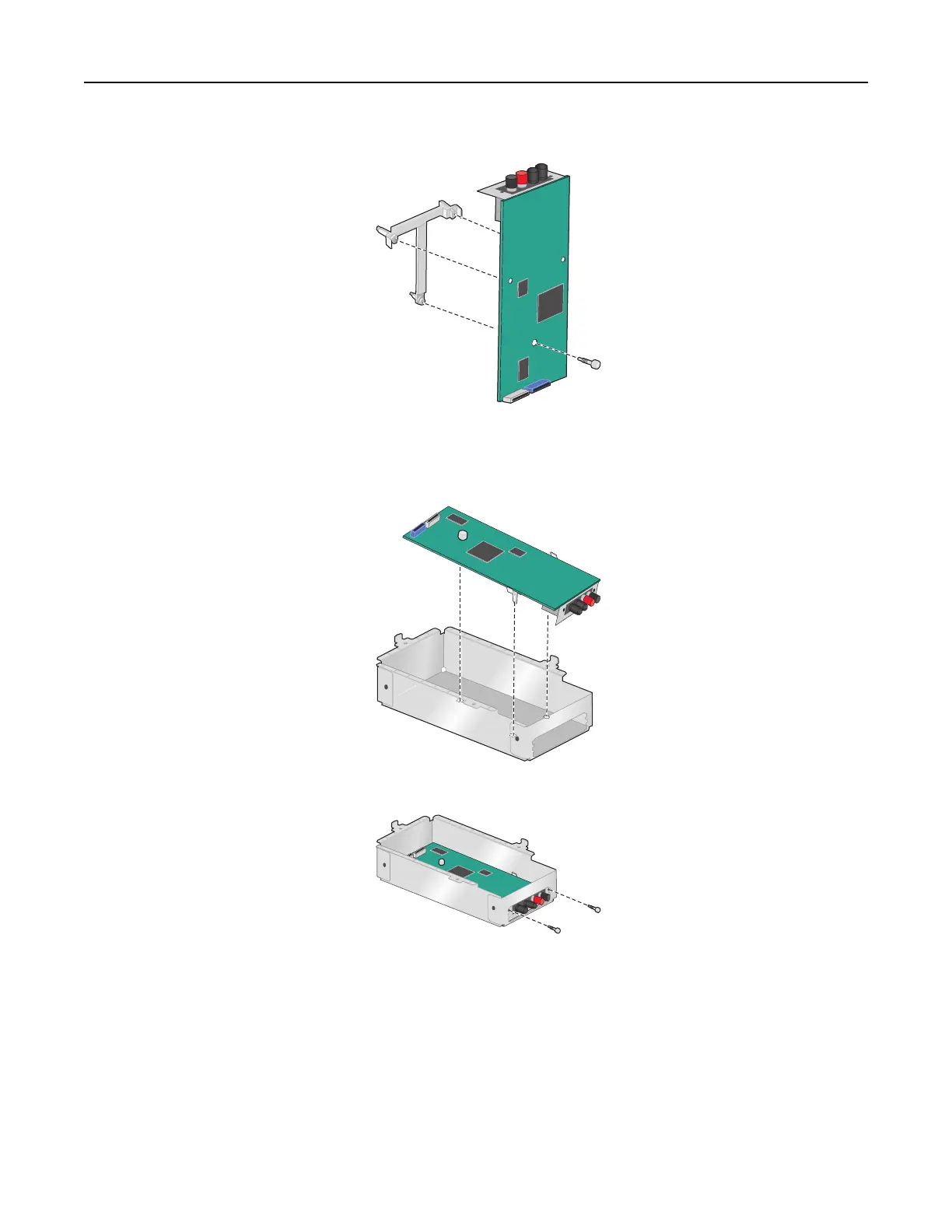
6 Using a thumbscrew, attach the plastic mounting bracket to the back of the ISP.
7 Insert the ISP into the metal housing.
Note: The plastic mounting bracket attached to the ISP has three tabs that will click into the holes of the metal
housing.
8 Attach the ISP to the metal housing using two thumbscrews.
9 Route the new ISP cable through the opening of the metal panel.
Note: The ISP cable in the Connectivity Installation Kit is longer than the old one.
Additional printer setup 29



 To Next Page