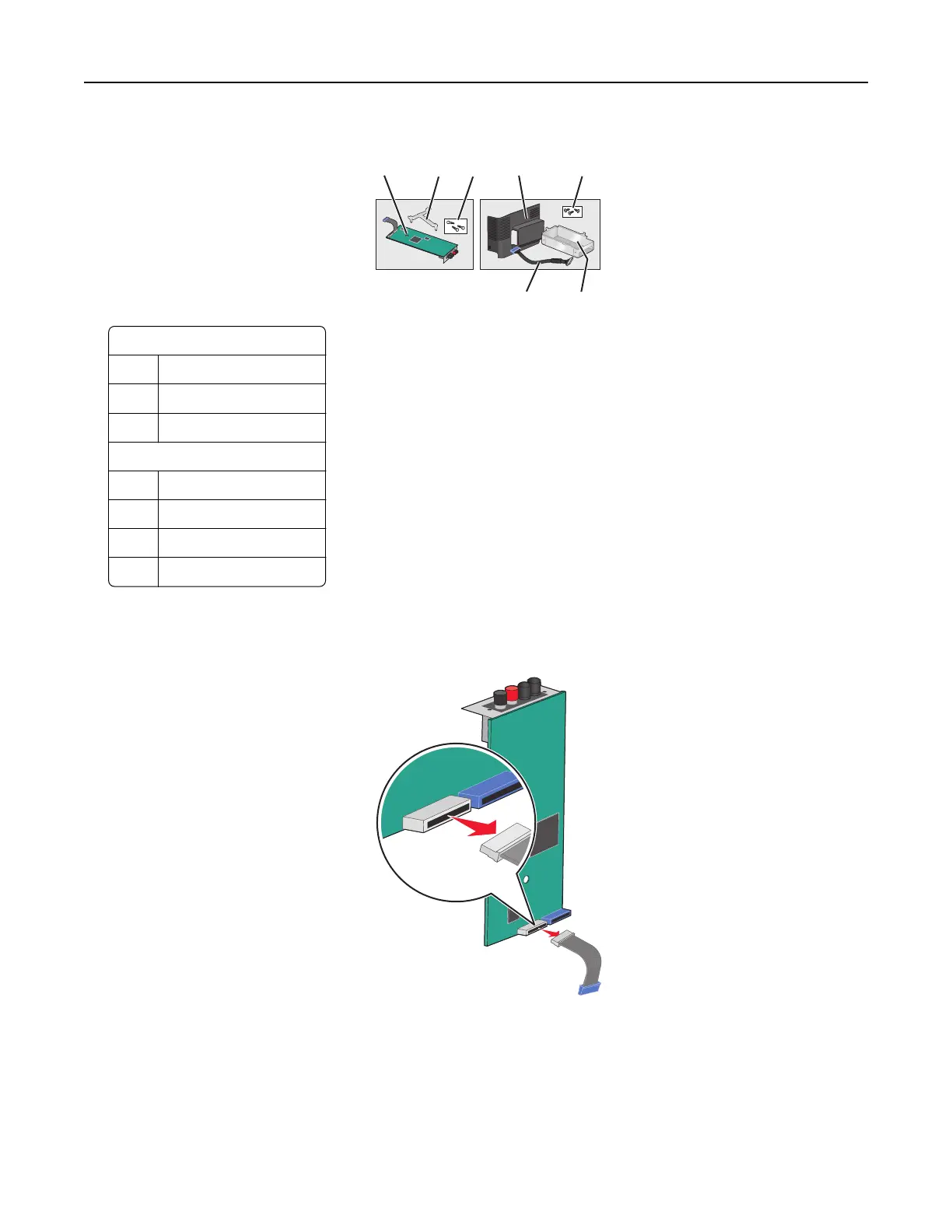
4 Unpack the ISP and Connectivity Installation Kit.
1 2 3
4
5
67
ISP
1 ISP
2 Plastic mounting bracket
3 Screws
Connectivity Installation Kit
4 Plastic cover
5 Screws
6 Metal housing
7 ISP cable
Note: Several parts may be in the ISP and Connectivity Installation Kit.
5 Remove the old ISP cable.
Additional printer setup 28



 To Next Page