65
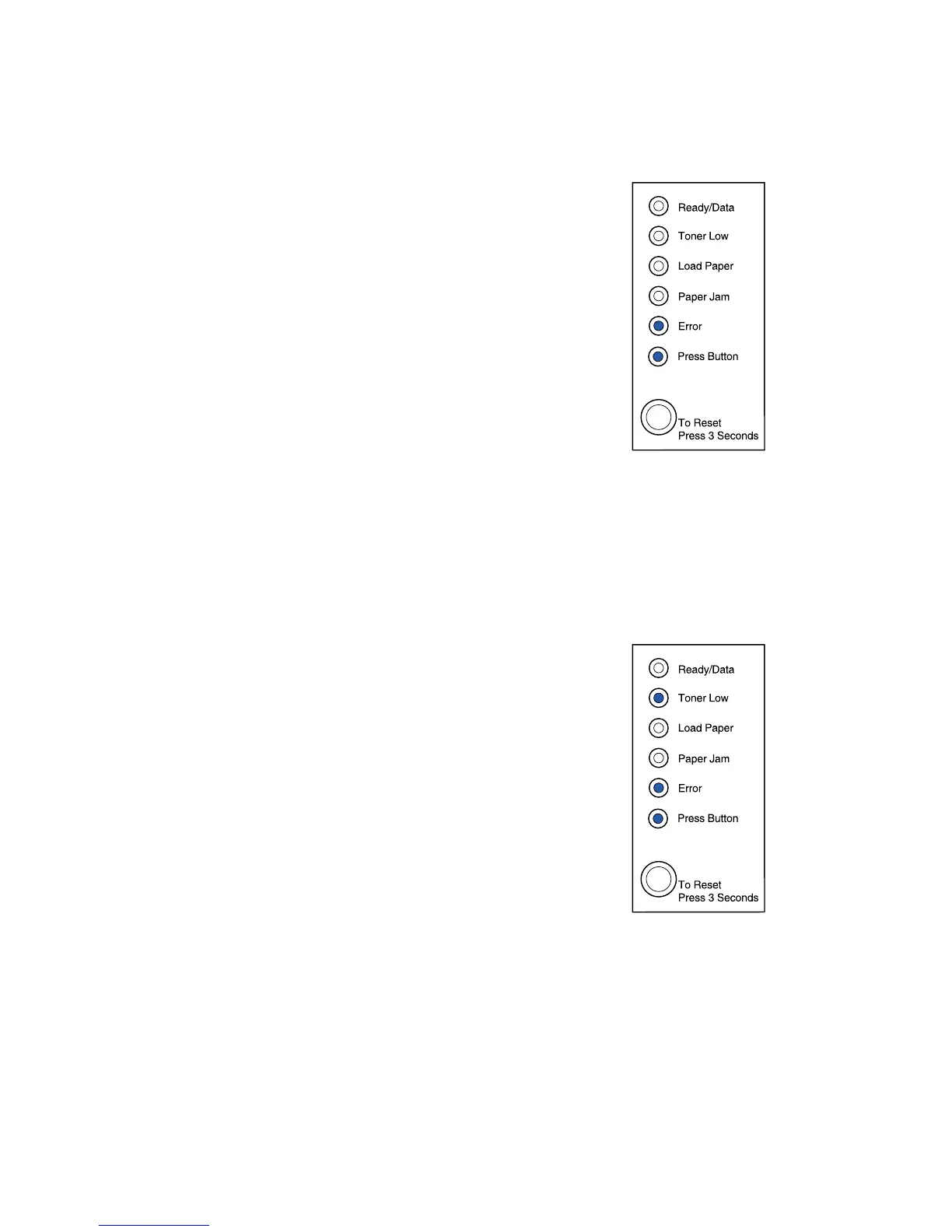
What this light sequence means:
The printer has one of the following errors:
• Memory is full
• Received a page that is too complex to print
• Received a page that is shorter then the page set
• Reduces the resolution of a formatted page to 300
dpi before printing
• Has a PPDS font error
• Doesn’t have enough memory to save what is in the
buffer
• Doesn’t have enough memory to defragment flash
memory
• Cannot communicate with the host computer
What you can do:
From the special function menu, press the operator panel
button with a double-button press to display the specific
error.
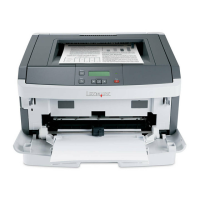
What this light sequence means:
The printer has one of the following errors:
• Memory is full
• Received a page that is too complex to print
• Received a page that is shorter then the page set
• Reduces the resolution of a formatted page to 300
dpi before printing
• Has a PPDS font error
• Doesn’t have enough memory to save what is in the
buffer
• Doesn’t have enough memory to defragment flash
memory
• Cannot communicate with the host computer
In addition, the toner in the print cartridge is getting low.
–Continued–



 To Next Page