4-126 Service Manual
4062-XXX
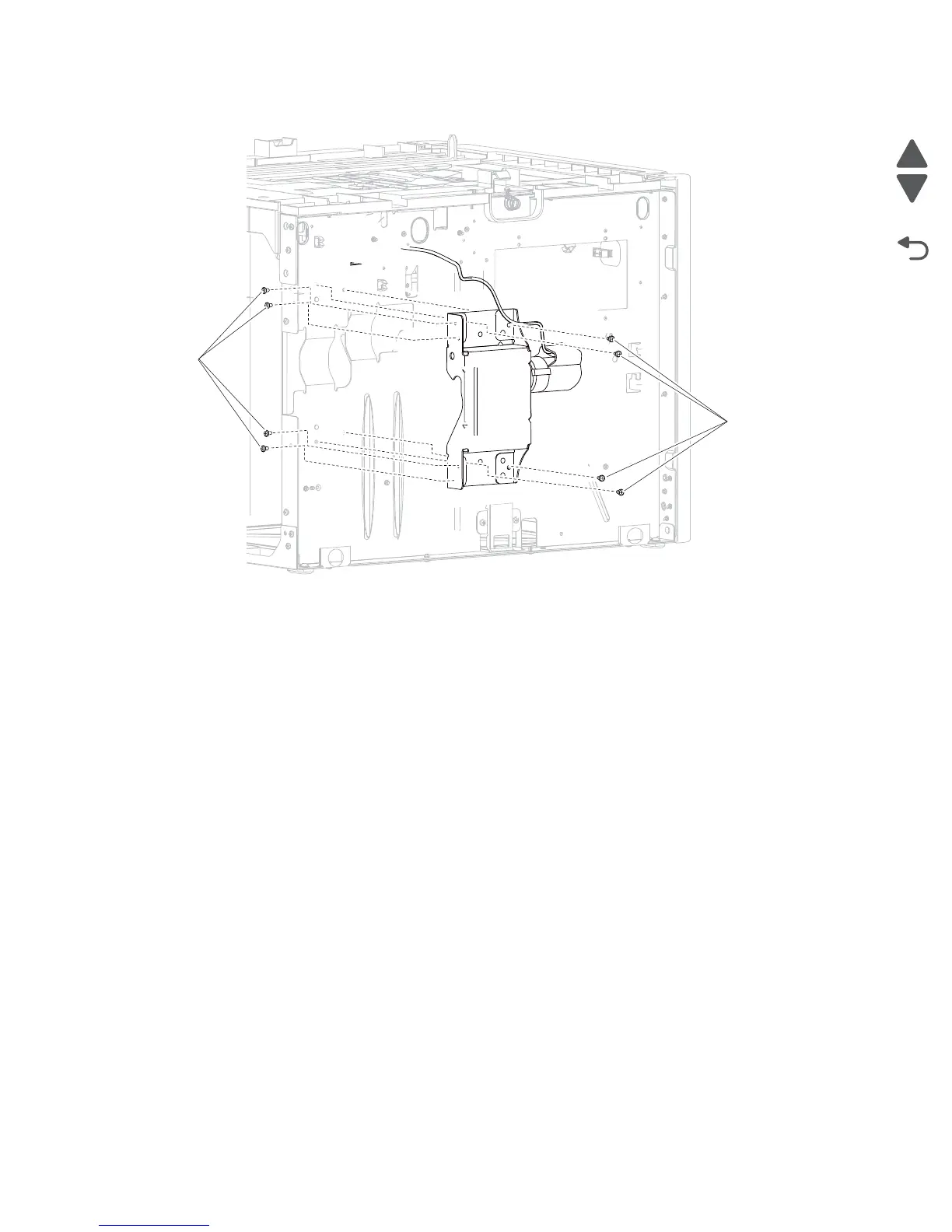
4. Remove the eight screws (A) securing the HCIT tray lift drive motor assembly.
5. Remove the HCIT tray lift drive motor assembly.
High capacity input tray (HCIT) controller card assembly removal
Note: Carefully remove the base machine from the HCIT tray assembly before proceeding.
1. Remove the HCIT cover, left. Go to “High capacity input tray (HCIT) cover, left removal” on
page 4-122.



 To Next Page