EasyManua.ls Logo

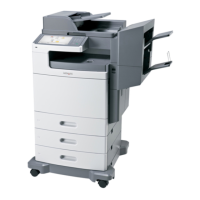
Lexmark X7500 - User Manual

Lexmark X7500
251 pages
Print Icon
To Next Page IconTo Next Page
Loading...
www.lexmark.com
Setup Guide
August 2001
X820e MFP, X7500 MFP Option

Table of Contents

Questions and Answers

  • A
    Anthony WheelerAug 11, 2025
    What to do if Lexmark All in One Printer won't send or receive analog faxes?
    • H
      Hannah MarquezAug 12, 2025
      If you're unable to send or receive analog faxes, check the following: * Make sure the telephone cable is properly connected to the port on the control unit and to the phone jack. * Verify the phone line is analog.
  • J
    jonbrownAug 21, 2025
    What to do if a red exclamation point appears over the Copy icon on Lexmark All in One Printer?
    • M
      Michael CollinsAug 21, 2025
      If a red exclamation point appears over the Copy icon, try these steps: 1. Touch the Copy icon and follow the on-screen instructions. 2. Ensure the printer is plugged in and turned on. 3. Check that the Ethernet cables are correctly connected. 4. Turn off both the printer and the control unit, then turn them back on.
  • C
    Christina JonesSep 1, 2025
    How to fix Lexmark All in One Printer touch screen when it is blank?
    • D
      Deborah NielsenSep 1, 2025
      If the touch screen is blank and unresponsive, try the following: * Check that the control unit is plugged in. * Verify the electrical outlets have power. * Ensure all cables and cords are properly connected. * Turn the control unit off and then back on.

Lexmark X7500 Specifications

General IconGeneral
Color OutputColor
Maximum Print Resolution4800 x 1200 dpi
Scanner TypeFlatbed
Maximum Scan Resolution1200 x 2400 dpi
ConnectivityUSB, PictBridge
Fax Speed33.6 Kbps
Print TechnologyInkjet
Copier TypeColor
FunctionsPrinter, Scanner
Supported Operating SystemsWindows, Mac OS

Related product manuals