108
2. DESTINATION SEARCH
LS460_600h_Navi_U
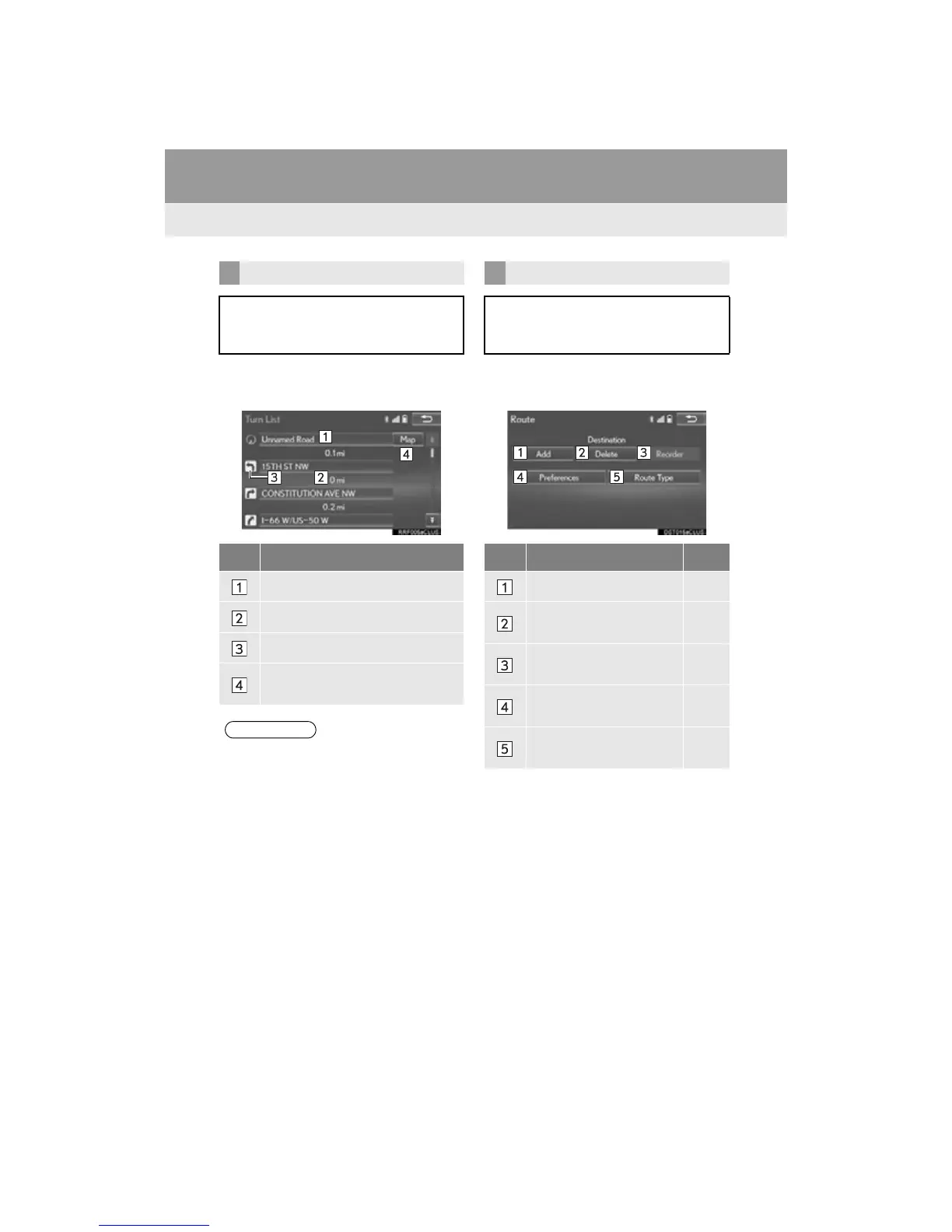
1 Select “Turn List”.
2 Check that the turn list is displayed.
1 Select “Edit Route”.
2 Select the desired item.
DISPLAYING TURN LIST
A list of turn information from the cur-
rent position to the destination can be
displayed.
No. Information
Current position
Distance to the next turn
Turn direction at the intersection
Select to display the map of the se-
lected point.
●However, not all road names on the route
may appear on the list. If a road changes
its name without requiring a turn (such as
on a street that runs through 2 or more
cities), the name change will not appear
on the list. The street names will be dis-
played in order from the starting point,
along with the distance to the next turn.
EDITING ROUTE
Destinations can be added, reordered
or deleted, and conditions for the route
to the destination can be changed.
No. Function Page
Select to add destinations. 118
Select to delete destina-
tions.
118
Select to reorder destina-
tions.
118
Select to set route prefer-
ences.
119
Select to change route
type.
119












 To Next Page