129
4. MEMORY POINTS
LS460_600h_Navi_U
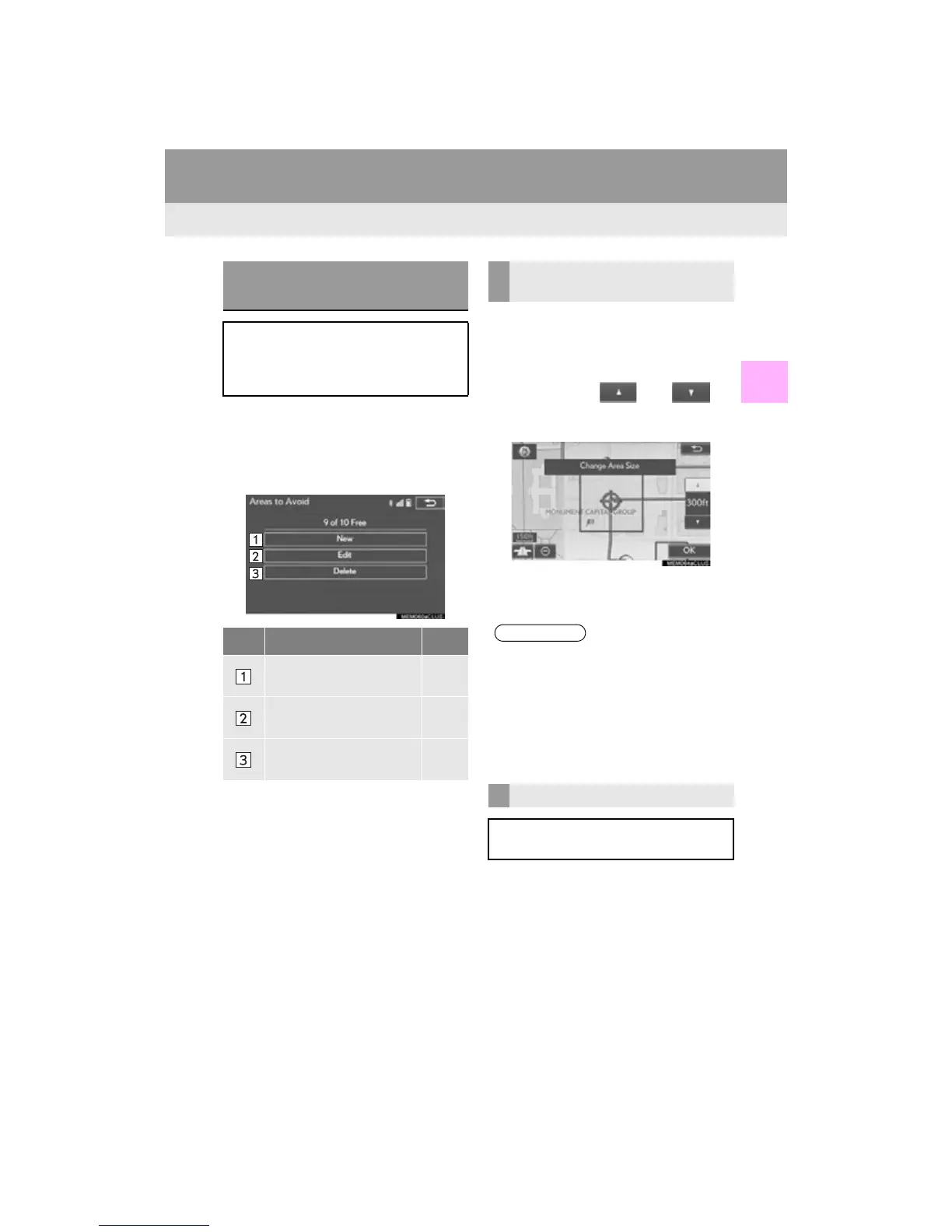
NAVIGATION SYSTEM
3
1 Display the “Navigation Settings”
screen. (P. 122)
2 Select “A re a s t o Av o i d ” .
3 Select the desired item.
1 Select “New”.
2 Select the desired item to search for the
location. (P. 93)
3 Select either or to
change the size of the area to be avoid-
ed and select “OK”.
4 Select “OK” when the editing area to
avoid screen appears.
1 Select “Edit”.
SETTING UP AREAS TO
AVOID
Areas to be avoided because of traffic
jams, construction work or other rea-
sons can be registered as “Areas to
Avoid”.
No. Function Page
Select to register areas to
avoid.
129
Select to edit areas to
avoid.
129
Select to delete areas to
avoid.
130
REGISTERING AREAS TO
AVOID
●If a destination is entered in the area to
avoid or the route calculation cannot be
made without running through the area to
avoid, a route passing through the area to
be avoided may be shown.
●Up to 10 locations can be registered as
points/areas to avoid.
EDITING AREAS TO AVOID
The name, location and/or area size of a
registered area can be edited.












 To Next Page